
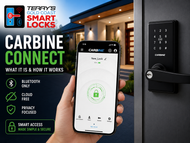
Carbine Connect — What It Is and How It Works
Posted by Jim Noort on 24th May 2026

The app powering the Carbine CEL2-BT range is Bluetooth-only, cloud-free, and independently security-audited. Here is everything it can and cannot do.
Carbine Connect is the companion app for the Carbine CEL2-BT smart lock range — the Bluetooth-enabled models in the Carbine digital lock lineup. Unlike TTLock (which connects to a cloud via a gateway) or Tuya (which uses built-in WiFi), Carbine Connect operates entirely on Bluetooth. No cloud account stores your access data. No gateway is required. No internet connection is needed for any function.
This makes Carbine Connect the most privacy-focused platform in the GCSL range — and the most limited in terms of remote management. For a side-by-side comparison of all four GCSL platforms, see Chapter 15 — Smart Lock App Platforms Guide. Understanding both sides of that equation matters before choosing it for your application.
This guide covers:
- What Carbine Connect is and the architecture behind it
- Which locks it supports and their credential capabilities
- The three passcode types and how they differ
- User and access management — roles, QR codes, and RFID
- Lock settings and configuration options
- Auto-Unlock — proximity-based access via geofence
- The honest limits of a Bluetooth-only platform
- The SilentGrid security audit findings
- When Carbine Connect is the right choice — and when it isn’t
For context on how Carbine Connect compares to TTLock and Tuya as global platforms, see our TTLock vs Tuya platform comparison. For the full Carbine hardware range including the non-Bluetooth CEL2-3IN1 and CDL2 models, see our Carbine CEL & CDL complete buyer’s guide.
What Is Carbine Connect?
Carbine Connect is a smart lock management app published by Davcor Pty Limited — the Australian company that owns and distributes the Carbine brand. It is the mandatory companion app for all CEL2-BT series locks.
The app is built on the Sunion platform — a Chinese smart lock hardware and software manufacturer whose technology is white-labelled by multiple brands globally. Davcor has adapted this platform for the Australian market under the Carbine Connect name, with an Australian security audit commissioned to validate its safety profile. The underlying platform is the same technology that powers the iKey Lock app sold under other brand names internationally.
The architecture is straightforward: the lock communicates directly with a phone via Bluetooth Classic. All operations — unlock, credential management, settings, event log retrieval — require the phone to be physically within approximately 10 metres of the lock. There is no internet connection, no cloud server storing access logs, and no gateway product available or planned.
 Bluetooth-only architecture: This is a deliberate design choice, not a limitation. Carbine Connect stores no access event data on external servers. No cloud subscription is required. No gateway purchase is needed. The trade-off — no remote management from outside Bluetooth range — is the price of that privacy. See the remote access section below for the full picture.
The app is available on both major platforms:
 Carbine Connect App Video
  Carbine Connect App Screen FAQ (Flipsnack)

The Hardware — Which Locks Carbine Connect Supports
Carbine Connect works only with the CEL2-BT series. The non-Bluetooth Carbine digital locks (CEL2-3IN1, CEL-3IN1, CDL2) are standalone RFID or PIN locks that do not connect to any app. For the full range overview see the CEL2-BT section of our Carbine buyer’s guide.
| Model | Form | Access Methods | Code Capacity | Fire Rating |
|---|---|---|---|---|
| CEL2-BT-DB | Deadbolt | PIN + Bluetooth + Key. No RFID. | 200 PIN codes | None |
| CEL2-BT-SL8 | Leverset | PIN + RFID + Bluetooth + Key + NFC | 100 combined (PIN + RFID share one pool) | E-Core + Firecore (2hr) |
| CEL2-BT-SL8-FRKIT | Leverset (FR Kit) | PIN + RFID + Bluetooth + Key + NFC | 100 combined | Firecore / E-Core / Pyropanel certified |
The CEL2-BT-DB deadbolt supports PIN and Bluetooth only — there is no RFID reader. RFID credentials (cards, fobs, NFC) are available only on the leverset models. Dual credential mode (requiring both PIN and RFID simultaneously) is also leverset-only for the same reason. Confirm your credential requirements before specifying the deadbolt.
Common physical specifications (all CEL2-BT models): 54mm lockset hole pattern (same as all Carbine CEL range — interchangeable footprint), door thickness 35–51mm, latch backset adjustable 60–70mm (not compatible with 127mm backset), IP54 weather rating (leverset models), NCC lever compliance on leverset (AS1428.1 DDA lever standard). For installation guidance, see our professional installation service — the CEL2-BT has specific cable routing requirements during installation that are worth knowing in advance.
The Three Passcode Types
Carbine Connect offers three passcode schedule types. This is fewer than TTLock’s six, but the Scheduled type covers the recurring cleaner scenario that most residential and small office users need. Each code entry can be individually enabled or disabled without deleting it — useful for suspending access temporarily.
| Type | How it works | Best used for |
|---|---|---|
| Permanent | No time limit. Valid until manually deleted or disabled. No activation window requirement — unlike TTLock permanent codes. | Regular family members, permanent staff, trusted long-term users. |
| Time Period | Valid between a defined start date/time and end date/time. Automatically inactive outside that window. | Contractors with a fixed work period, house-sitters, short-term access requirements. |
| Scheduled | Valid only during specified times of day on selected days of the week (e.g. Monday–Friday 8am–5pm). | Cleaners, regular contractors, employees on set schedules. |
The Admin Code is a separate master programming code — one per lock — for local keypad programming without the app. The default Admin Code after a factory reset is 1-2-3-4-5-6-7-8. Change this immediately after setting up the lock; it is the only code that cannot be scheduled or restricted. It can be changed via Settings → Change Admin Code in the app.
Guiding Code (anti-peep mode): when enabled, the lock displays a random sequence of numbers on the keypad before PIN entry. The user enters their real code somewhere within or following this sequence. This prevents shoulder-surfing from identifying which digits are touched most frequently, and is particularly useful for locks in visible public locations.
User and Access Management
Carbine Connect separates app-based user management from PIN/RFID credential management. Users who access the lock via the Carbine Connect app are managed in the Users tab. PIN codes and RFID cards are managed separately in the Access tab.
Three App User Roles
| Role | Permissions | Notes |
|---|---|---|
| Owner | Full admin access — all settings, all credentials, all users. | One per lock. Cannot be deleted. The person who initially enrolled the lock. |
| Manager | Can control all lock settings and share access with others. | Suitable for a trusted second administrator — property manager, partner. |
| User | Can only lock and unlock. Can delete the lock from their own app. | Standard access level. Cannot create credentials or manage settings. |
Adding App Users — QR Code Sharing
To add a new app user, the Owner or Manager generates a QR code in the Users tab, specifying the name and role. The QR code is shareable by any messaging method (SMS, email, WhatsApp). The recipient scans the code from within the Carbine Connect app to gain access.
Each QR code can be redeemed by only one user. If a user loses their phone or switches devices, a new QR code must be generated and shared. There is no way to re-issue the same code. Plan for this when onboarding multiple users — generate one code per person, not one code to share around.
Dual Credential Mode (Leverset Only)
When enabled, the lock requires both a valid PIN code and a valid RFID card/tag to open. Neither alone is sufficient. App-authenticated users are not subject to this restriction — they unlock via Bluetooth as normal. Dual credential is enabled under Settings → Dual Credential, and is only available on leverset models where RFID is present. This is well-suited to high-security office doors or situations where a compromised PIN alone should not grant entry.
Vacation Mode
Vacation Mode disables all PIN codes and RFID credentials globally while leaving Admin Code and Bluetooth app access active. Enable it before an extended absence to ensure no keypad credential can be used without disabling the lock entirely. It is toggled on and off in the Settings tab.
Lock Settings and Configuration
The Settings tab gives access to the full lock configuration. Every setting change is pushed to the lock via Bluetooth and takes effect immediately.
| Setting | What it does | Default |
|---|---|---|
| Auto-Lock | Automatically re-locks the door after a set delay. | Off |
| Auto-Lock Time | Adjustable from 5 seconds to 900 seconds (15 minutes). | Off (when auto-lock is disabled) |
| Keypress Beep | Sound confirmation when keypad digits are pressed. | On |
| Guiding Code | Displays random digits before PIN entry to prevent shoulder-surfing. | Off |
| Dual Credential | Requires both PIN and RFID to unlock. Leverset models only. | Off |
| Switch modes with # | Allows toggling between lockable and passage mode via # key after a valid code entry. | On |
| Change Admin Code | Navigate to change the master programming code. Default after factory reset: 1-2-3-4-5-6-7-8. | Always change from default on setup. |
| Factory Reset | Wipes all credentials and settings. Resets Admin Code to default. Resets deadbolt handing on DB models. | Nuclear option — use only when needed. |
| Delete Lock | Removes the lock from your app only. Other enrolled users retain access. The lock itself retains all credentials. | Use when leaving a shared property, not for a full reset. |
Auto-Unlock — Proximity-Based Access
Auto-Unlock is a geofence feature that automatically unlocks the door when the Owner’s phone enters the lock’s Bluetooth range — approximately 10 metres. It removes the need to take the phone out and open the app when approaching your own front door.
To function, Auto-Unlock requires all four of the following to be active simultaneously on the phone:
- Bluetooth enabled
- WiFi enabled (for geofence accuracy — WiFi connection not required, just the radio)
- GPS / Location Services enabled
- Location access for Carbine Connect set to “Always” (not “While Using”)
As of the November 2025 app update, Auto-Unlock also requires Auto-Lock to be enabled on the lock. This prevents the door remaining unlocked indefinitely after Auto-Unlock triggers.
Auto-Unlock requires the Owner’s phone to be physically approaching the lock within Bluetooth range. It automates the “take out phone, open app, tap unlock” step — it does not enable unlocking from a different location. If all four conditions above are not met simultaneously, Auto-Unlock will not function. This is the most common cause of Auto-Unlock complaints.
Auto-Unlock also includes geofence notifications: the app can notify when you enter or leave the defined “local area” around the lock location. These are the only push notifications available on Carbine Connect — lock and unlock events do not generate push notifications (the event log must be retrieved manually via Bluetooth).
The No-Remote-Access Reality
This is the most important section for anyone evaluating Carbine Connect for a property they will not always be at physically. There is no remote access. There is no workaround. There is no gateway product planned. The platform is intentionally designed this way.
| Task | Carbine Connect |
|---|---|
| Unlock from another room (same building) | ✓ If within ~10m Bluetooth range |
| Unlock from across town or interstate | ✗ Not possible |
| Add or change a PIN code remotely | ✗ Must be in Bluetooth range to modify Access tab |
| Check who accessed the lock today | ✗ Event log is on the lock; must be nearby to retrieve |
| Receive a notification when someone unlocks | ✗ No event push notifications |
| Integrate with Airbnb PMS for automated codes | ✗ No PMS integration available |
| Manage access across multiple properties from one app | ✗ Each lock requires physical proximity to manage |
| Use Alexa or Google Home for voice unlock | ✗ No smart home integration |
If remote access is a requirement — for Airbnb hosting, a holiday home, or any property where access needs managing from a distance — Carbine Connect is not the right platform for that application. See the decision section below, and for the alternative, our gateway comparison chapter explains what TTLock’s G-Series gateways add to remote management.
Event Log and Notifications
The Event Log records authorised access events and denied access attempts with timestamps. It is accessible via Settings → Event Log in the app — but only when the app is connected to the lock via Bluetooth. The log lives on the lock’s internal memory, not on a cloud server.
This has a practical implication: if you want to know who accessed the lock last Tuesday and you are not within Bluetooth range of the lock, you cannot find out until you are physically nearby. For use cases where access audit trails are needed remotely and regularly — staff management, NDIS care coordination, multi-property Airbnb — this is a meaningful constraint.
For the right use case (home, small office, a property you regularly visit), the local log is sufficient. A quick sync when you next visit gives you a full record of every access event.
Security — The SilentGrid Audit
 The CEL2-BT range has an independent Australian security audit. This is unusual for a smart lock at this price point and is a genuine differentiator. Most competitors — including TTLock, which has published vulnerabilities (see our TTLock vs Tuya comparison) — do not have an independent penetration test to cite.
SilentGrid is an Australian cybersecurity consultancy. Their penetration test of the CEL2-BT leverset concluded:
- Low risk profile overall
- AES-encrypted authentication handshakes — communication between lock and app is encrypted
- One-time-use encryption keys — eliminates replay attacks (capturing and replaying a Bluetooth signal to unlock the lock does not work because each session uses a fresh key)
- Brute-force entry attempt protection
- Resistance to magnet attacks, thermal attacks, firmware extraction, and EMP disruption
Privacy Architecture
Because Carbine Connect has no cloud backend for lock events, no access event data is transmitted to or stored by Davcor or Sunion servers. Lock credentials are stored locally on the phone and on the lock. The Google Play data safety declaration confirms no data is shared with third parties; data is encrypted in transit. This is categorically different from TTLock (data transits Sciener servers in China) and Tuya (data transits Alibaba Cloud in Singapore).
Known Vulnerabilities
No published CVEs or vulnerability disclosures were identified for Carbine Connect or the Sunion platform as of May 2026. The SilentGrid audit is the only public security assessment of this platform. Because Carbine Connect is built on the Sunion white-label platform, any security vulnerabilities discovered in the Sunion iKey Lock platform would potentially affect Carbine Connect — this is worth monitoring over time.
Setup, Installation, and Critical Gotchas
The CEL2-BT range is straightforward to set up but has a few important gotchas that are worth knowing before installation.
 Battery type — AA 1.5V alkaline only. This is critical.
Lithium batteries and rechargeable batteries are explicitly prohibited by Carbine’s own documentation — stated as a WARNING in the official materials. Using the wrong battery type can cause overheating and hardware damage. Carbine recommends Duracell Procell AA alkaline batteries. Cheap cells perform poorly, especially in cold weather. Replace when the app shows low battery — do not wait for the lock to fail during access.
Bluetooth pairing gotchas:
- Turn off all other short-range wireless devices before enrolling for the first time (documented recommendation from Carbine).
- Only one Bluetooth connection can be active at a time. If another device is connected to the lock, the app cannot connect until that device disconnects.
- If the app fails to connect: turn Bluetooth off, close the app, turn Bluetooth on, reopen the app. If this fails, restart the phone. If still failing, log out, uninstall, reinstall, and re-enrol.
Deadbolt handing during installation: The CEL2-BT-DB deadbolt auto-detects its handing (which direction the bolt extends) during a factory reset — but only when the lock is fully installed on the door. If you connect the lock to the app and perform a factory reset before installing it on the door, the handing will be set incorrectly. The fix: remove from the door, perform a factory reset with the lock mounted correctly, and the bolt will re-detect its handing (this takes approximately 30 seconds).
Cable routing during installation: The CEL2-BT range connects its interior and exterior components via a cable that must be correctly routed during installation. Incorrect routing causes symptoms including an unresponsive keypad, battery compartment overheating (short circuit), and the SET button sitting proud and preventing the battery cover from fitting. These are installation issues, not app issues, but they account for a significant proportion of apparent “faults” in new installations. For complex installs, our professional installation service avoids these issues.
Factory reset procedure (hardware): If the app-based reset is not available, the hardware reset sequence is: remove one AA battery → press and hold the SET button → reinsert the battery while holding SET → continue holding until a long beep is heard → release. This resets all credentials, settings, and the Admin Code to default.
When Carbine Connect Is the Right Choice — and When It Isn’t
 Carbine Connect is well-suited for:
- Residential homes where the occupants are almost always present — proximity management via Auto-Unlock is all that is needed.
- Small offices where staff access is managed with scheduled PIN codes and the manager visits regularly.
- Properties where privacy is a priority — no access event data leaves the building.
- Fire-rated doors — the CEL2-BT-SL8-FRKIT is certified for Firecore, E-Core, and Pyropanel doors, a rare combination with Bluetooth app management.
- DDA-compliant lever requirements — the CEL2-BT-SL8 is NCC lever compliant (AS1428.1), suitable for disability access specifications.
- Any application where a cloud-connected lock is not acceptable — government tenancies, sensitive commercial environments, body corporate situations where data sovereignty requirements preclude cloud platforms.
 Carbine Connect is not suited for:
- Airbnb and short-stay rentals — no remote code management, no PMS integration, no push notifications when guests arrive. See our Airbnb platform guide for TTLock and Igloohome alternatives.
- Holiday homes managed from a distance — access codes cannot be changed remotely. Granting emergency access to someone requires either physical attendance or a pre-arranged permanent code.
- Multi-property operators — every lock requires physical proximity to manage. There is no multi-site dashboard.
- NDIS supported living with remote staff management — staff access logs cannot be retrieved remotely; attendance management is not available. For NDIS, TTLock’s Attendance Management feature or Igloohome’s algoPIN may be better suited depending on internet availability. See Chapter 09 — NDIS & DDA Accessibility for the full picture.
- Anyone who needs real-time event notifications — the lock does not push alerts for access events.
For the broader platform comparison across TTLock, Tuya, Igloohome, and Carbine Connect, see our TTLock vs Tuya guide. For the Airbnb-specific decision between TTLock and Igloohome, see which Airbnb smart lock setup is right for you.
Related Guides in This Series
The complete hardware comparison across all Carbine digital models — from the entry-level CDL2 through to the fire-rated CEL2-BT-SL8-FRKIT.
How Carbine Connect’s Bluetooth-only approach compares to the two cloud-connected platforms that dominate globally.
The full platform guide for TTLock — the cloud-connected alternative with remote management, gateway ecosystem, and PMS integration.
If Carbine Connect isn’t right for your Airbnb application — the TTLock vs Igloohome comparison for short-stay hosts.
Platform and hardware guidance for NDIS, disability housing, and DDA-compliant smart lock specifications.
The decision framework that helps Airbnb hosts choose between connected and offline approaches.
Not Sure Whether Carbine Connect Suits Your Application?
Our team can help you decide whether the Bluetooth-only approach is right for your door and your management needs — before you buy.
Ask an ExpertVisit Australia’s leading Smart Lock showroom and workshop:
Gold Coast Smart Locks
9/2 Prosper Crescent
Burleigh Heads, QLD
See working models, compare gateways, and get real advice before you commit.
Disclaimer: App interface wording, settings, and feature availability change with firmware and app updates. Code capacity figures (100 combined for leverset, 200 PIN for deadbolt) are per Carbine.com.au as of May 2026 — verify current specifications with Davcor before purchasing. The SilentGrid security audit covered the CEL2-BT leverset; confirm scope before relying on findings for other models. Battery type restrictions are as documented by Carbine — use only AA 1.5V alkaline batteries.