Digital Door Lock: The Smarter Way to Secure Your Home
Posted by Jim on 26th Dec 2025
The way we secure our homes has changed more in the last decade than in the previous fifty years. The lock and key still works — but it no longer reflects how people actually live today: Airbnb hosting, remote work, cleaners, tradespeople, teenagers, and ageing parents all coming and going on different schedules.
At Terry’s Gold Coast Smart Locks, we see this shift every day. Most customers aren’t chasing “smart home hype.” They simply want fewer keys, better control, and confidence that their home is secure when they’re not there.
This guide covers what digital door locks actually are, how Australians are using them, what the common concerns are (and honest answers to them), and what to check before you buy. It covers:
- How digital locks work and what credential types are available
- Whether you need WiFi (short answer: not for basic use)
- Which type of lock suits your door and use case
- Whether digital locks are actually secure
- What to check before buying or installing anything
This guide was reviewed and updated in May 2026.

Why Digital Door Locks Are Gaining Momentum in Australia
Digital door locks have moved into the mainstream because they solve problems that traditional locks never could. Lost keys, copied keys, lockouts, and rekeying costs are still among the most common reasons Australians call a locksmith.
A digital door lock removes those issues. Access is controlled electronically, can be changed in seconds, and does not require replacing hardware every time circumstances change. Revoke a cleaner’s PIN code in thirty seconds when the job is done. Issue a one-time access code to a tradie without being home. Check the door is locked from the other side of the country.
For many households, the tipping point is convenience. For others, it’s security. In practice, it’s usually both. For a full introduction to how smart locks work from the ground up, see Chapter 01 — What Is a Smart Lock? in the Smart Lock Buyer’s Guide.

How Australians Are Actually Using Digital Door Locks
These are not edge cases — they are now everyday situations across Queensland homes and businesses:
Kids never get locked out after school. Each family member has their own PIN or RFID card — no key to lose or copy.
Time-limited access codes issued per booking. No key handovers, no lockboxes, no “key under the mat.” See: Airbnb Smart Locks in Australia.
Cleaners, dog walkers, and tradespeople get access codes that expire automatically. No physical key distribution or retrieval.
Check lock status and remotely unlock for trusted visitors from anywhere with internet access.
Issue temporary codes to trades on site. Revoke immediately when the job is complete — no rekeying required.
Staff access added and removed instantly. Entry logs provide visibility and accountability that traditional keys never offer.
Digital locks are one of the few security upgrades that actively reduce friction instead of adding it. They give you more control with less effort.

How You Actually Unlock the Door — Access Methods
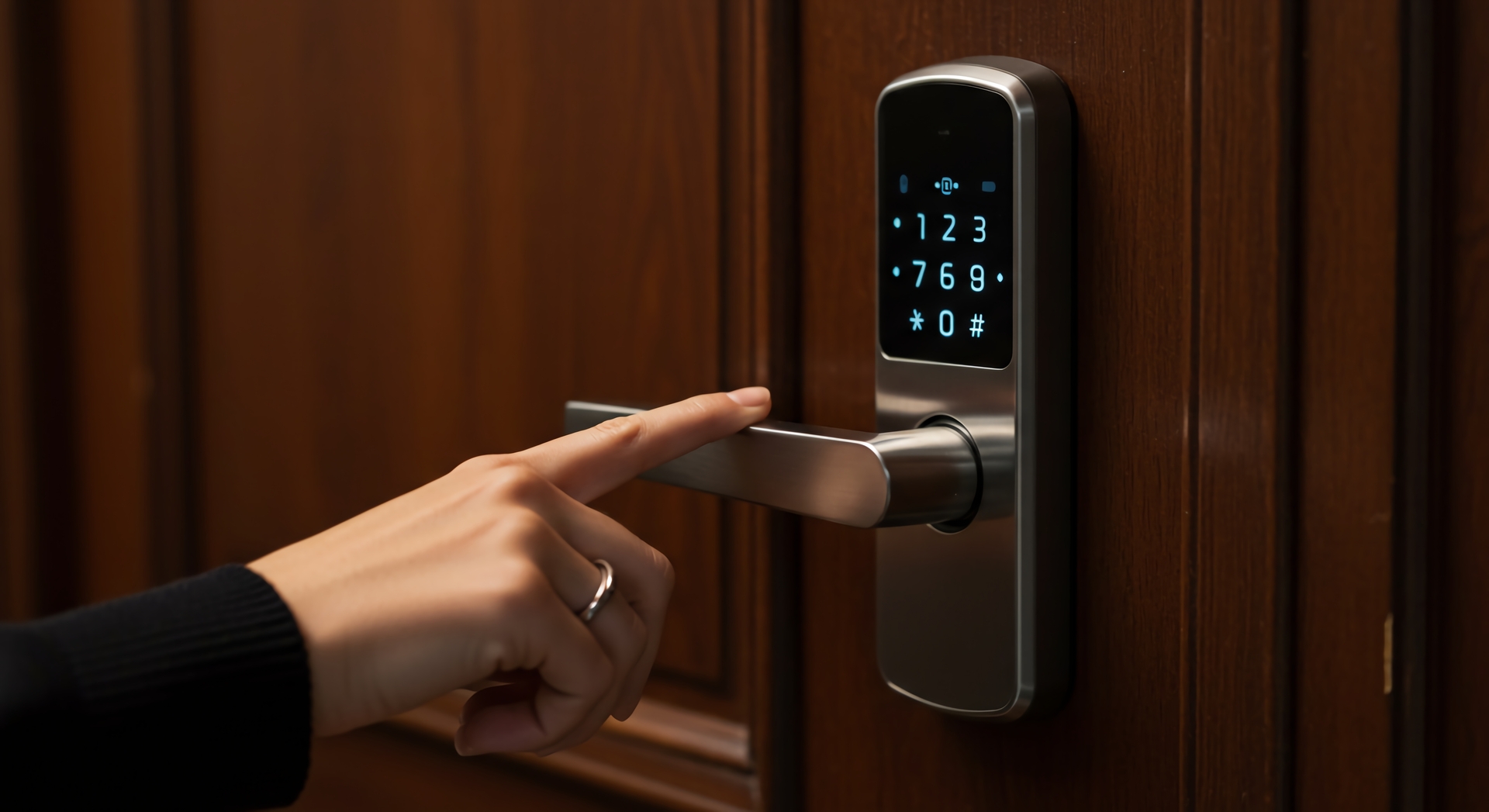
Modern digital locks offer multiple ways to unlock. You can use one or several depending on the lock model:
PIN CodeEnter a 4–9 digit code on the keypad. Multiple codes for different people; timed or one-time codes for visitors.
 Fingerprint
Biometric unlock — fast and hands-free. Not available on all models; not suitable if your hands are often wet or dirty.
 RFID Card / Fob
Tap a card or key fob to unlock. Good for households where a physical credential is preferred. Up to 1,000 credentials on some models.
 Bluetooth / App
Unlock from your phone when nearby via Bluetooth. Works without internet — no gateway needed for this function.
 Mechanical Key
Physical backup key override. All reputable smart locks include this — it works even if the battery is flat.
One lock can support several of these simultaneously. For a full breakdown of each method’s capabilities and limitations, see Chapter 03 — Smart Lock Access Methods.

Do You Need WiFi?
This is the question we hear most from first-time buyers. The short answer: no, not for basic use.
- PIN codes at the door
- RFID cards and fobs
- Fingerprint access
- Bluetooth unlock from your phone
- Mechanical key override
- Remote unlock from anywhere
- Real-time entry notifications
- Automated Airbnb access codes
- Live access logs
- Remote battery monitoring
WiFi adds powerful features and is worth having for Airbnb hosts and anyone managing multiple users remotely. But it is optional, not required. Most locks operate perfectly well without it. If you do go WiFi, see Why Smart Locks Drop Off Wi-Fi to understand the most common setup issue before you start.

Choosing the Right Type of Digital Door Lock
The best system is the one that suits how your door is actually used — not just how it looks or what has the most features.
Digital Front Door Lock
Your front door is the most used and most visible access point. A well-specified front door smart lock provides strong physical security, fast daily access, and precise control over who enters. For most Australian homes, this is where digital locks deliver the biggest daily improvement.
Connected Smart Lock
Adds a WiFi gateway to enable remote access, real-time notifications, and app-based credential management from anywhere. Particularly useful for short-term rentals, home offices, and households where people arrive and leave at different times.
Commercial Digital Lock
Higher cycle ratings, audit trails, and multi-user management for offices, clinics, and retail spaces. Staff access can be added or revoked instantly. Compliance and durability requirements are more demanding than residential.

Are Digital Locks Actually Secure?
This is the most common concern from first-time buyers, and it deserves a straight answer. The honest response is: yes, quality digital locks are secure — often more so than the traditional lock they replace. But “digital lock” is not a uniform category.
- Physical security: Grade 1 commercial mortice locks (as used in many smart lock platforms) are tested to 1,000,000 cycles and engineered for forced-entry resistance. The lock body is usually the strongest part of the door.
- Electronic security: Reputable smart locks use encrypted Bluetooth and app communication. PIN codes are not transmitted over the air in plain text. Access logs record every entry event.
- Credential management: Changing who has access takes seconds and requires no hardware change — a meaningful security advantage over physical keys, which can be copied without your knowledge and are essentially irrevocable once issued.
- The weak point: Platform longevity. A smart lock is only as good as the company supporting its firmware and app. A lock whose software is abandoned in three years is a security risk even if the hardware is solid. This is why choosing a backed, supported platform matters.


Installation Quality Still Matters
Even the best digital door lock will underperform if it is poorly installed. Door alignment, latch positioning, strike plates, and door condition all affect reliability — and are entirely unrelated to the electronics.
The most common smart lock failure we attend is not an electronic fault. It is a door that has shifted or sagged so the latch no longer seats cleanly in the strike plate. The lock operates correctly; the door is the problem.

Three Things to Check Before You Buy
- Measure your door. Backset, door thickness, and stile width determine which locks are even compatible. Getting this wrong means returning the lock. Chapter 02 — Measuring Your Door walks through every measurement you need.
- Know your door type. Timber, aluminium, security screen, fire door, and sliding doors all require different products. A lock designed for a timber front door will not suit a sliding glass door. Chapter 04 — Door Type Matching covers the full compatibility matrix.
- Decide whether you want remote access. If you want to unlock your door from away, monitor access logs, or automate access for Airbnb, you need a WiFi gateway. If you just want keyless entry at home, a Bluetooth + PIN lock is enough and simpler to set up.
Related Guides
The foundational explainer — how smart locks actually work, the smart vs connected distinction, and the authentication stack.
Every credential type explained — PIN, fingerprint, RFID, Bluetooth, WiFi — including failure modes and which suits which situation.
Battery life, coastal conditions, power outages, and the door alignment issue nobody warns you about.
Build quality, environment, and install quality — what actually determines smart lock lifespan in Australian conditions.
When WiFi matters for Airbnb hosts, when it doesn't, and which platforms work best offline.
What Terry's professional installation involves — and why it makes a measurable difference to lock reliability and longevity.
Not Sure Where to Start?
Send us a photo of your door and tell us how you use it — we’ll point you to the right product before you spend a cent.
Ask an ExpertVisit Australia’s leading Smart Lock showroom and workshop:
Gold Coast Smart Locks
9/2 Prosper Crescent
Burleigh Heads, QLD
See working models across every credential type — and walk out knowing exactly what suits your door.