

KAS NEO Cloud Lock - Lock-S Access
The KAS NEO Cloud Lock Lock-S Access is a battery-powered electronic lock designed for locally managed accommodation and access-control environments where RFID credentials, time-based key issue, and audit records are required without relying on live internet operation for everyday card and fob management.
Built around the Lock-S platform, this product uses PC software for in-house key management. It is suited to hotels, apartments, gyms, and similar sites that need structured user access with master, staff, and guest key hierarchy, scheduled access periods, and lock entry records. The Lock-S platform does not require an internet connection for routine card and fob issue.
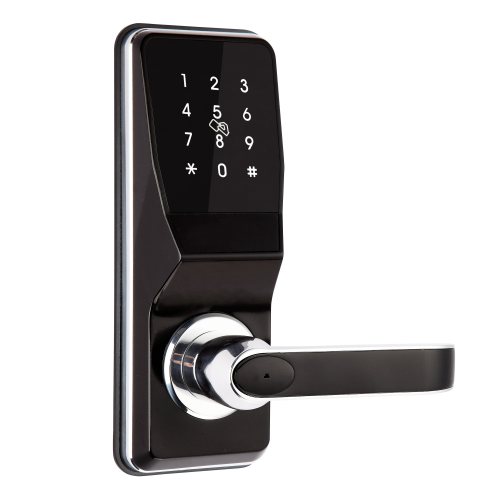
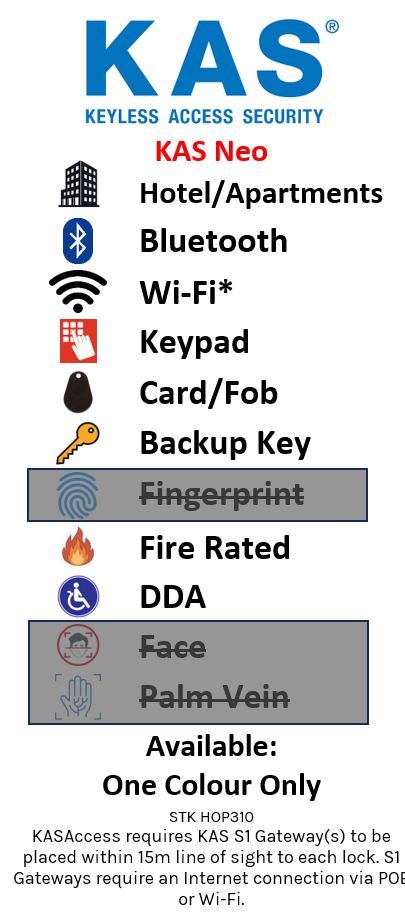
The NEO hardware supports RFID/Fob, PIN code, and Bluetooth entry at the lock face, while the internal lever always allows free egress. It operates on 4 x AA batteries, includes a mechanical override key for emergency access, and provides an external Micro USB emergency power input when batteries are exhausted.

PC-based, in-house key management. No internet connection is required for issuing access cards and fobs in normal Lock-S operation. Credentials, schedules, and audit records are managed locally through the Lock-S software installed on a site PC.

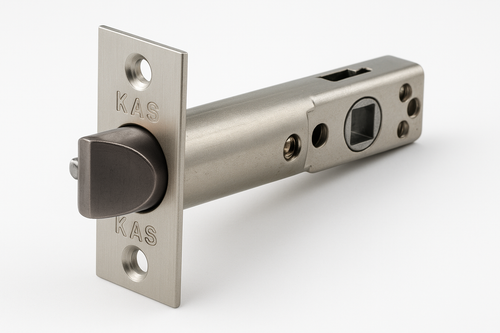
This lock is supplied as lock body hardware only. A tubular latch or compatible mortice latch must be selected separately and matched to the door preparation and application. See the KAS Tubular Latch 60mm, KAS Tubular Latch 70mm, or KAS Mortice Latch ML-S for compatible options.

Two unique mechanical override keys are supplied per lock for emergency access if batteries are flat or electronic entry is unavailable. The keyed override is intended as an emergency access method, not the normal daily unlocking method. See Mechanical Key Override on Smart Locks for guidance on battery-dead lockout, where the keyhole is located, and correct use of the backup key.


 Key Features
- Lock-S PC software for in-house key management — no internet required for routine credential issue
- Suitable for hotels, apartments, managed accommodation and site-based access-control environments
- Supports RFID/Fob, PIN code, and Bluetooth entry at the lock face
- Master, staff, and guest key structure within Lock-S hotel mode
- Valid key periods for controlled, time-based credential issue
- Scheduled free passage support in Lock-S hotel mode
- Audit trail — up to 820 lock entry records per lock in hotel mode
- 13.56 MHz ISO 14443A MIFARE RFID platform
- Bluetooth Low Energy (BLE) Smart 4.0 connectivity
- Compatible with broader KAS NEO system architecture including the KAS S1 Gateway and web-console deployment
- 4 x AA battery operation with low battery warning — approx. 8-10 months or 3,000 unlocking attempts
- External emergency power input via USB power source when batteries are flat
- Onsite reversible handle orientation
- 2 unique mechanical override keys supplied per lock
- Free egress from inside via lever handle at all times
- DDA assessed by Equal Access as compliant for door control under AS 1428.1 in tested configuration
- Fire certification available — confirm exact combination of lock, latch, and door type for project
Access Methods

Operation and Access
- External Access: Unlock by authorised RFID credential, valid PIN code, Bluetooth credential, or mechanical override key when required
- Internal Exit: Internal lever provides free egress at all times — no credential required from inside
- Lock-S Management: Credentials are issued and managed through Lock-S PC software for in-house operation without requiring internet connectivity
- Access Structure: Supports master, staff, and guest key hierarchy in Lock-S hotel mode
- Credential Timing: Valid key periods can be assigned for controlled, time-limited access issue
- Free Passage: Scheduled free passage supported in Lock-S operation; local free passage functions also available within the NEO platform
- Audit Trail: Hotel mode records lock entry events — up to 820 records per lock — for review through the system
- Offline Capability: Core lock operation and local credential management can continue without constant internet dependency, depending on system configuration
- Emergency Power: External USB power input allows temporary powering of the lock when internal batteries are exhausted
- Backup Entry: Mechanical key override provided for emergency access and service situations — not for normal daily use
 Suitable Uses
- Hotels and motels — hotel mode with master, staff, and guest key hierarchy
- Locally managed apartment buildings requiring structured credential control
- Gyms and member-access facilities with time-limited card issue
- Short-stay accommodation with central key issue
- Office or staff doors requiring scheduled or timed credential management
- Sites that want PC-managed access and audit records without depending on constant internet connectivity
- Fire door installations where the full hardware combination and door type are confirmed as compliant
 Available Finish Options
 Gunmetal Champagne
(This Product)
HOP310
Finish selection does not affect functionality, compliance, or performance.
 KAS NEO Cloud Lock Range
 Full Specifications
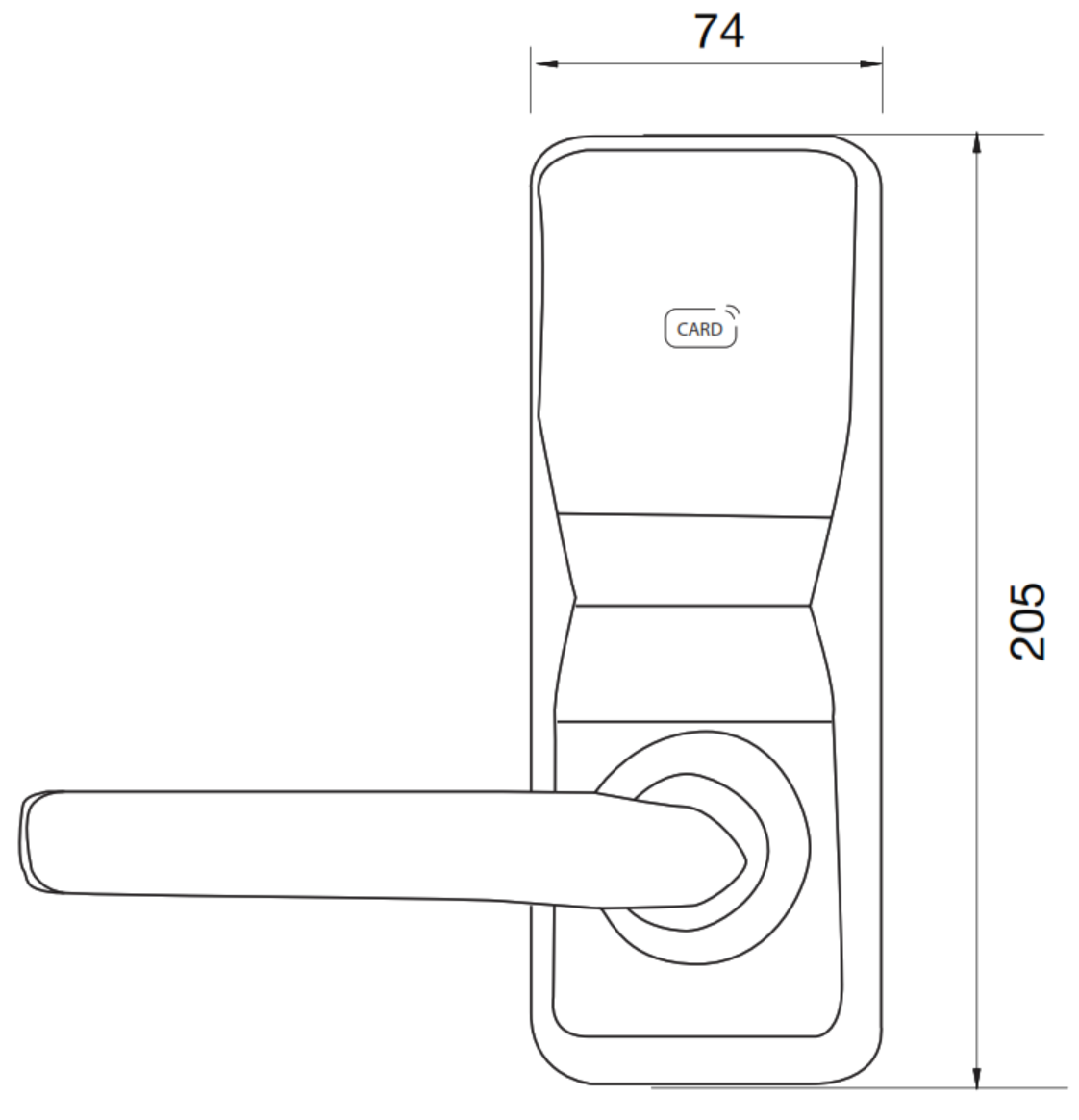
 Dimensions - KAS NEO External Lock and Lever
Battery and Power
The KAS NEO operates on 4 x AA alkaline batteries (DC 6.0 V) located on the inside of the door. Rated battery life is approximately 8-10 months under normal use, or up to 3,000 unlocking attempts — see How Long Do Digital Door Locks Last? for context on how cycle ratings translate to real-world battery life. A low battery warning is issued before the batteries are fully depleted. When batteries are flat, an external USB power source or power bank can be connected to the emergency input port on the external panel to provide temporary power for a single unlock, allowing battery replacement without being locked out.
Gateway and Remote Access
The KAS NEO Cloud Lock is compatible with the KAS S1 Access Control Gateway, a ceiling-mount wireless gateway using BLE and Sub-GHz radio to communicate with NEO locks. When the S1 Gateway is installed, remote credential management, real-time monitoring, and web-console access become available — extending the Lock-S and NEO system beyond on-site PC operation. See the Smart Lock Gateway Comparison Guide for context on how gateway-based access control differs from proximity-only Bluetooth operation.
The KAS NEO Lock-S operates without a gateway for routine credential issue and access management. The KAS S1 Gateway is an optional add-on that enables remote and cloud-based features when required.
Disability Access Compliance (DDA)
The KAS NEO lock has been assessed by Equal Access for door control requirements under AS 1428.1 and found compliant in the tested configuration. The assessment confirms one-handed operation, suitable latch operation without the hand slipping off the lever, and measured grip clearance consistent with accessible door control requirements.
View KAS NEO DDA Certification (PDF) · DDA Compliance Guide · DDA-Certified Smart Locks · DDA Smart Locks for NDIS and Disability Housing
Important: This relates to the assessed lock and handle configuration only. It does not by itself confirm that the complete door, opening, or building installation is fully compliant in every application.
Fire Door Compliance
The KAS NEO platform has fire certification pathways, but fire performance is not universal across every installation. Certification depends on the exact combination of lock, latch type, and fire door core system. Available certification includes E-Core, Firecore, and Pyropanel assessments — see Fire Door Core Types Guide and KAS NEO Fire Door Section for detail.
Tubular latch installations require the use of the KAS NEO Fire Kit (FRK101).
Confirm the approved door type, latch, and certification pathway before ordering for any fire door project. See Where Fire Doors Are Required in Queensland.
Further reading: Apartment Fire Doors — Which Locks Are Compliant · Fire Door Types and Core Certification · AS1905.1 Test Certificate Reference List
 Accessories and Compatible Products
 Frequently Asked Questions
No. KAS states that Lock-S is a PC software solution and internet access is not required for access cards and fob keys in normal Lock-S operation. Credential issue, scheduling, and audit records are managed locally through the Lock-S software installed on a site PC.
The NEO hardware supports RFID/Fob, PIN code, and Bluetooth entry, with mechanical key override for emergency backup access. The lock accepts up to 100 RFID users and 100 PIN users. Compatible RFID credentials include the KAS RFID Card and KAS RFID Fob.
No. KAS states that latches are not included and must be selected separately to suit the door preparation and application. See the KAS Tubular Latch 60mm, KAS Tubular Latch 70mm, or KAS Mortice Latch ML-S.
Only where the full hardware combination — lock, latch type, and door core — is confirmed as compliant for the specific project. Tubular latch installations require the KAS NEO Fire Kit (FRK101). See KAS NEO in the Fire Door Smart Locks Guide and the Fire Door Core Types section before specifying.
Yes. The NEO platform supports onsite reversible handle orientation, allowing the lever to be re-handed during installation without returning the lock for factory re-configuration.
 Additional Information
The HOP310 Lock-S is the stronger fit for sites wanting local, PC-based credential control rather than cloud-first remote management. It suits sites where IT infrastructure for a cloud system is not available, or where the operator prefers to manage access entirely on-site without third-party platform dependency. See the Smart Lock Platform Guide — Commercial section for a broader platform comparison.
Hotel mode provides local lock entry records — up to 820 per lock — which is directly useful for accommodation operators, site managers, and insurance or compliance purposes. Records are accessible through the Lock-S software on the site PC.

Master, staff, and guest key hierarchy makes this more suitable for managed multi-user sites than a simple standalone residential lock. Lock-S hotel mode also supports valid key periods, allowing time-limited credential issue without requiring a cloud connection for each change.

KAS recommends professional installation and advises that incorrect installation can cause permanent damage and void the warranty. Latch selection must be matched carefully to the door preparation — the lock is sold without a latch included. KAS provides installation guidance in the KAS NEO Installation Guide (PDF). Before installing, see 3 Common Smart Lock Installation Mistakes — spindle position, backset, and door prep are the most frequent causes of post-install problems.
KAS advises that battery-operated NEO locks are not recommended for common or high-traffic doors. Application suitability matters — for a high-traffic shared entrance consider whether a hardwired or PoE-connected system may be more appropriate.

KAS Access Video Playlists
KAS provides a YouTube playlist library covering setup, programming, troubleshooting, and system use across the KAS access-control range. These videos are useful for installers, site managers, and customers wanting a clearer view of Lock-S software workflow, credential setup, and day-to-day operation.

KAS products are covered by a 24-month manufacturer's warranty against defects in materials and workmanship.
- Return-to-base repair or replacement (subject to KAS assessment)
- Technical support provided during the warranty period
KAS NEO Cloud Lock Lock-S - Real Installations by Terry's Locksmiths


KAS NEO Cloud Lock - Dimensions
 KAS NEO Brochure


KAS NEO Access Control Installation and Specifications
KAS NEO Cloud Lock User Guide
KAS NEO DDA Certification
KAS NEO Dimensions
KAS NEO Drilling Dimensions
KAS NEO E-Core ML/TL Assessment
KAS NEO Features and Specifications
KAS NEO Firecore ML/TL Assessment
KAS NEO Flyer
KAS NEO Hotel and Apartment Access Control
KAS NEO Installation Guide
KAS NEO Pyropanel FR ML Assessment
KAS Warranty Overview
KAS electronic locking products are supplied with a 24-month manufacturer’s warranty covering defects in materials and workmanship under normal operating conditions.
This warranty is a return-to-base manufacturer warranty. Products must be assessed by KAS before repair or replacement is approved.
 Warranty Summary
What the Warranty Covers
- Defects in materials or manufacturing
- Repair or replacement of faulty hardware (subject to KAS assessment)
- Technical support during the warranty period
Common Exclusions
- Labour, removal, reinstallation or service call costs
- Freight costs to return goods to KAS
- Incorrect installation or commissioning
- Misuse, tampering or unauthorised modification
- Environmental exposure including moisture, corrosion or debris
- Network, WiFi or connectivity issues
- Consumables including batteries
- Normal wear and tear
Warranty Claim Process
- Report the fault with supporting details (photos or video recommended)
- Follow troubleshooting guidance provided by KAS
- Obtain return approval before sending product
- Return product for assessment (freight at customer cost)
- Approved claims will be repaired or replaced and returned
During the warranty process, the product may be unavailable. The customer is responsible for maintaining site security and access during this period.
 Australian Consumer Law
This warranty operates in addition to rights available under the Australian Consumer Law. Goods come with guarantees that cannot be excluded. Customers may be entitled to a replacement or refund for a major failure and compensation for reasonably foreseeable loss or damage.
Reference
1 Review Hide Reviews Show Reviews
-
A very good product, sturdy, easy to operate.
We now have the KAS NEO Cloud locks installed on all our holiday apartments in the complex. We are extremely happy with them.
It can be overwhelming with all the choices out there. We can help! We are experts with decades of experience in fitting locks of all types, not just Smart Locks. It is a free service we offer, and with just some photos and a few minutes of your time you can get expert advice and product recommendations tailored precisely to suit your needs.
Click on the image below to begin your expert Smart Lock consultation