

Borg BL5000ECPCK Easicode Pro Code Change Key - Suits 5000 Series - Blue
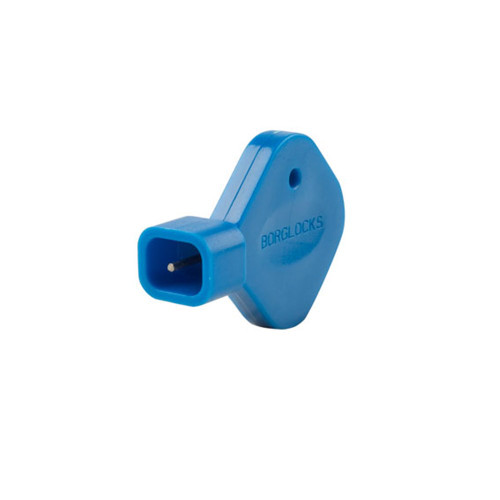
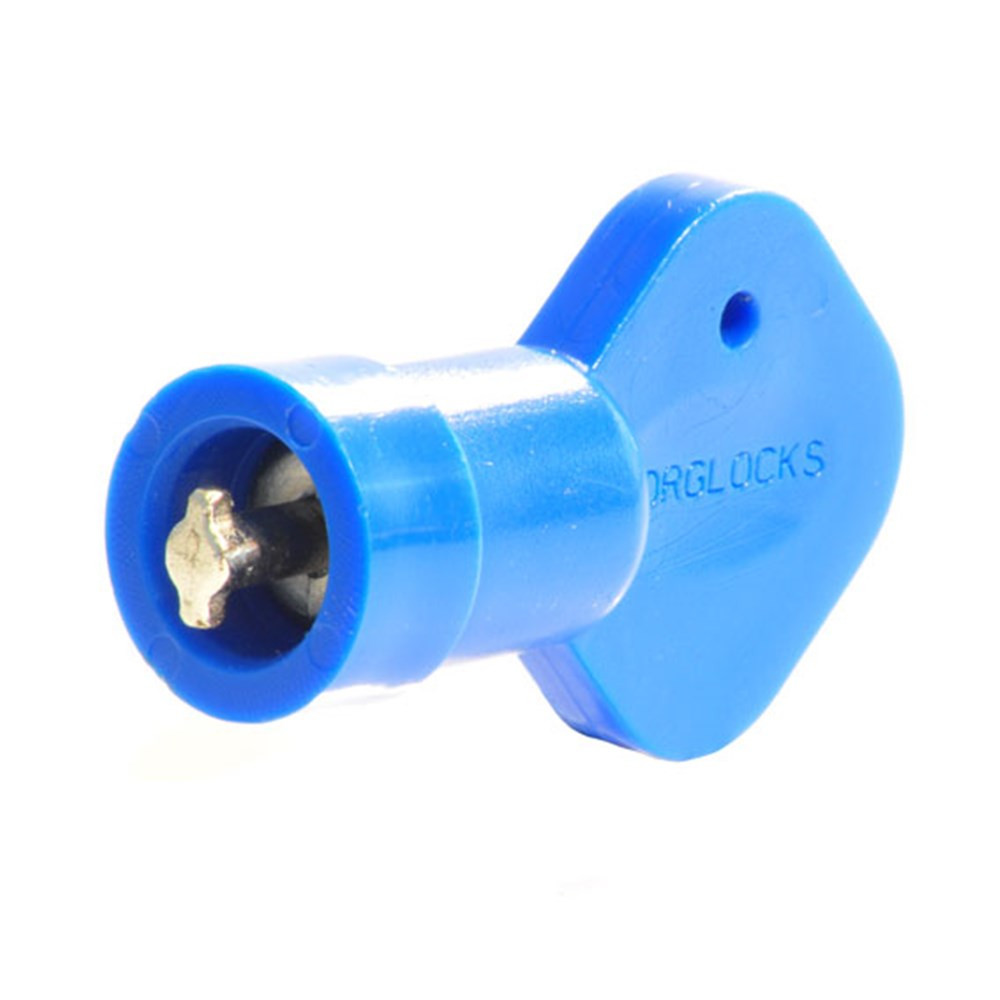
The Borg BL5000ECPCK is the blue Easicode Pro code change key for Borg 5000 Series mechanical digital locks. It is the small key that starts a code change on an Easicode Pro (ECP) keypad, so the code is changed on the door, without removing the lock.
It suits Easicode Pro models only - the 5000 Series locks and replacement keypads listed below, and the heavy duty BL7701. Complete locks come with a change key in the box, so this is the spare or replacement key.

Usually ships same day if ordered before 11am AEST (excludes weekends and Queensland public holidays)
 Key Features
- Genuine Borg Easicode Pro (ECP) code change key, in blue.
- Starts the on-door code change - the lock stays on the door.
- For Borg 5000 Series Easicode Pro keypads and the 7000 Series BL7701.
- Fits over the code change button and turns a quarter turn to begin the change.
- One key suits every lock and keypad in the table below - a spare for the maintenance set.
 What's in the Box
- 1 x Borg Easicode Pro code change key (blue)
 Item Code Family - Borg Easicode Pro Code Change Keys
 Compatible Locks
The BL5000ECPCK suits the Borg Easicode Pro locks and replacement keypads below - each lists it as its spare change key.
It does not suit On The Bench (non-ECP) 5000 Series locks, which are recoded with the lock off the door - see the bench method. The 2000, 3000 and 4000 Series Easicode Pro keypads take the BL2000ECPCK instead.
 Full Specifications
 Frequently Asked Questions

It starts the Easicode Pro on-door code change. With the door open and the current code entered, the key fits over the code change button, turns a quarter turn clockwise and is pressed and held while the old code is cleared and the new one entered. Our step by step code change guide walks through it.
No. On The Bench 5000 Series locks are recoded with the lock off the door, not with this key - see the bench method. This key is for Easicode Pro models only.
Yes - Borg's complete Easicode Pro locks come with a change key in the box. This listing is a spare for the maintenance set, or a replacement for a lost key. Some replacement keypads are supplied without one, so check the What's in the Box list on the keypad's page.
No. The BL2000ECPCK is the key for Borg 2000, 3000 and 4000 Series Easicode Pro keypads, where it presses into the hole in the star button. This key is for the 5000 Series and the BL7701, where it fits over the code change button and turns.
 Additional Information

 Warranty
All Borg locks are warranted against mechanical defects in materials and workmanship under normal use and service for a minimum of 12 months from date of sale. The warranty does not cover damage arising from misuse, vandalism, or improper installation. The lock must not be dismantled - doing so will invalidate the warranty. Proof of purchase required for all claims.
 Download PDF Resources
Borg's six-page manual for the BL5000 Easicode Pro range - handing, spindle fitting, the on-door code change this key starts and finding a lost code. (Host lock document.)
The six Easicode Pro instruction pages for the BL5000 ECP range - handing, the two deactivation plugs, spindle fitting, the 8-step code change with the change key and the lost code method. (Host lock document.)
The two-page code change sheet for the BL7000 ECP series - the eight-step on-door method with the change key and the porthole method for identifying a lost code. (Host lock document - the BL7701.)
The Australian distributor's one-page BL5000 Series accessories sheet - the keypad-only units, Lockwood conversion kits and scar plates for the 5000 Series. It does not list the change key. (Host lock series document.)
Borg's one-page servicing guide for its mechanical digital locks - the monthly clean with a light silicone-based lubricant and the yearly service with the lock off the door.
PDF Files - BL5000ECPCK
Borg's six-page manual for the BL5000 Easicode Pro range - handing, spindle fitting, the on-door code change this key starts and finding a lost code. (Host lock document.)
The six Easicode Pro instruction pages for the BL5000 ECP range - handing, the two deactivation plugs, spindle fitting, the 8-step code change with the change key and the lost code method. (Host lock document.)
The two-page code change sheet for the BL7000 ECP series - the eight-step on-door method with the change key and the porthole method for identifying a lost code. (Host lock document - the BL7701.)
The Australian distributor's one-page BL5000 Series accessories sheet - the keypad-only units, Lockwood conversion kits and scar plates for the 5000 Series. It does not list the change key. (Host lock series document.)
Borg's one-page servicing guide for its mechanical digital locks - the monthly clean with a light silicone-based lubricant and the yearly service with the lock off the door
Borg Locks Warranty
Borg products sold in Australia are covered against mechanical defects in materials and workmanship under normal use and service. Warranty claims are handled by Terry's Tradies Pty Ltd and its associated websites, trading names, and subsidiaries.
Warranty Summary
 What the Warranty Covers
- Mechanical defects in materials and workmanship
- Defects arising under normal use and service conditions
- Repair or replacement of defective units at the discretion of the Australian distributor (LSC)
 What the Warranty Does Not Cover
- Damage arising from misuse, vandalism, or abuse
- Damage resulting from improper installation
- Locks that have been dismantled - dismantling invalidates the warranty
- Normal wear and tear
- Cosmetic damage not affecting function
 How to Make a Claim
- Contact Terry's Tradies Pty Ltd first if you purchased through us or one of its associated trading names - we will assess the issue and manage the warranty process with LSC on your behalf. You do not need to contact LSC or Borg Locks UK directly.
- Have your proof of purchase ready (receipt or order confirmation).
- Warranty claims for Borg products in Australia are processed through LSC, the authorised Australian importer and distributor. Where an item is returned to LSC, freight charges must be prepaid and the item returned within the warranty period.
- If LSC finds the returned item to be defective, it will be repaired or replaced, and a detailed assessment report is provided to the customer after examination.
Our goods come with guarantees that cannot be excluded under the Australian Consumer Law. You are entitled to a replacement or refund for a major failure and compensation for any other reasonably foreseeable loss or damage. You are also entitled to have the goods repaired or replaced if the goods fail to be of acceptable quality and the failure does not amount to a major failure. The Borg manufacturer warranty above operates alongside - and does not limit - these statutory rights.

Confused? Overwhelmed? We get it.
Choosing the right smart lock can be genuinely tricky - door types, backsets, app platforms, compatibility with your existing hardware... there is a lot to consider. We have decades of experience fitting locks of all types, including smart locks, and we are happy to help.
Our expert recommendation service is free. Upload a few photos of your door and describe what you need, and one of our qualified locksmiths will give you a personalised recommendation.
Get Your Free Recommendation →How it works - three easy steps:
1. Upload photos
A few clear shots of your door, lock and frame - inside and out.
2. We assess
Our locksmith reviews your setup and requirements - door type, weather exposure, how you want to use it.
3. You get a recommendation
A personalised recommendation tailored to your door, budget and needs. No pressure, no upsell.
Also useful while you are deciding: