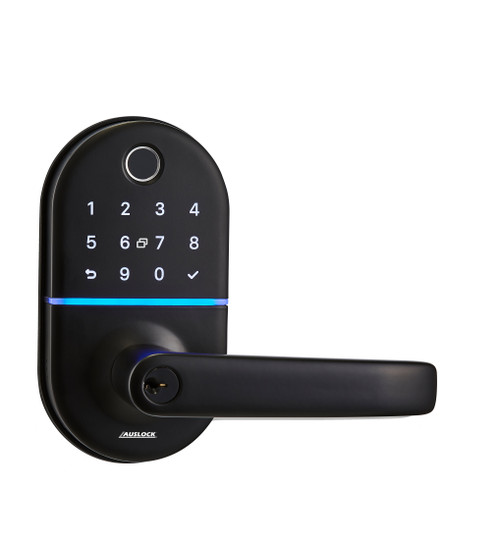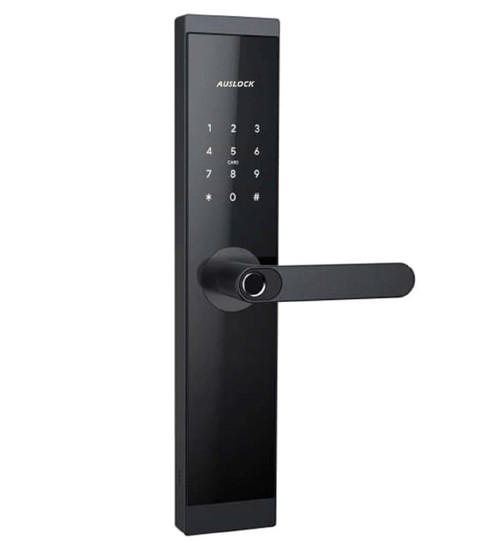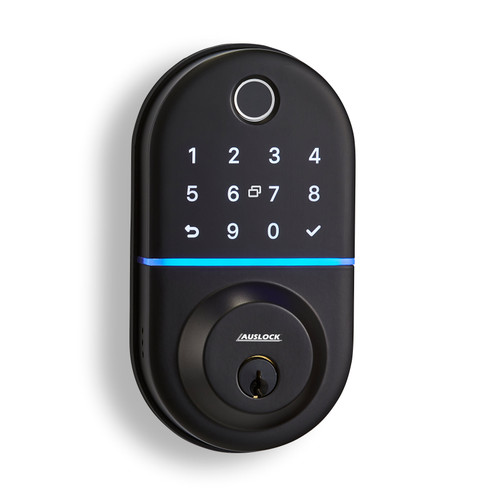


Auslock Handy Series T13B Smart Deadbolt - Black
The Auslock Handy Series T13B (Item Code: AUST13B-BLK) is a motorised smart deadbolt designed for residential timber doors. It provides five onboard access methods — Bluetooth app, fingerprint, PIN code, RFID card, and mechanical key override — and supports remote access when paired with a compatible Auslock gateway (sold separately).
The lock is managed through the AUSLOCK app (iOS and Android). Within Bluetooth range, the app provides full credential management, access log review, e-key sharing, and lock/unlock control. With an optional G2 gateway connected to your home Wi-Fi, the lock can be managed and unlocked from anywhere with an internet connection.
The T13B suits door thicknesses of 40-90mm — a wider range than most standard deadbolts — and is constructed from aluminium alloy weighing 1.3kg. Batteries are not installed before fitting: install the lock first, test with the door open, then install batteries as the final step.


If this model isn't the right fit for your door or application, we stock a broader range of digital smart deadbolts suited to different door constructions, backsets, and installation requirements.
View all smart deadbolt options
 Key Features
- Five access methods: Bluetooth app, fingerprint, PIN code, RFID card, and mechanical key override.
- Remote access available when paired with optional Auslock G2 Wi-Fi gateway (sold separately).
- e-Key sharing — send timed, permanent, one-time, or recurring digital keys to other AUSLOCK app users.
- Auto-lock function and passage mode configurable via the AUSLOCK app.
- Wide door thickness range: suits doors from 40-90mm thick.
- Large credential capacity: up to 200 fingerprints, 150 passcodes, and 200 RFID cards.
- Bluetooth connection is network-isolated — the lock communicates directly with the app and is not exposed to internet attacks without a gateway.
- Door sensor included — detects door open/closed state; adjustable to suit different frame depths.
- Low wattage alarm alerts via lock and app when battery voltage drops below 4.8V.
- Alkaline batteries only — 4 x AA (6V total); lithium and rechargeable batteries not compatible.
- 1-year warranty; warranty must be activated within 30 days by emailing support@auslock.net.
 Access Methods


 Suitable Uses
- Residential timber front and entry doors (40-90mm door thickness)
- Short-term rental and holiday properties — manage guest access via timed PIN codes and e-keys
- Applications requiring multiple access credential types on a single deadbolt
- Doors where remote access management is required via the optional Auslock G2 gateway
- Retrofit smart security onto existing standard deadbolt door preparations

 What's in the Box
- 1 x front panel (external keypad and fingerprint reader assembly)
- 1 x back panel (internal thumb turn assembly)
- 1 x mortise deadbolt body
- 3 x RFID cards
- 2 x mechanical keys
- 2 x waterproof rubber plates
- 1 x strike and strike box
- 1 x installation drawing / template
- 1 x user manual
- Fixing hardware: mortice screws (timber and aluminium sets), screw stubs, panel screws, and assorted M5/M6 fixing screws
 Full Specifications
 Dimensions

 Battery, Power & Backup Access
- Powered by 4 x AA alkaline batteries (6V total) — not included.
- Alkaline batteries only — lithium and rechargeable batteries must not be used.
- Do not install batteries until the lock is fully fitted to the door. Install and test mechanical operation with the door open first, then install batteries as the final step.
- Low voltage alarm activates when voltage drops below 4.8V — replace batteries immediately upon notification from the lock or app.
- Mechanical key override (key on front panel) — 2 keys included. This is the only backup entry method if batteries are fully depleted; there is no USB emergency power input on this model.
 Remote App Access (Optional – Gateway Required)
The T13B communicates via Bluetooth and connects directly to your phone without any network involvement — this means the lock is not exposed to network-based attacks when used in standalone Bluetooth mode. Remote access from outside Bluetooth range requires the Auslock G2 Wi-Fi gateway (sold separately), which bridges the lock to your home Wi-Fi and the AUSLOCK app for remote unlock, credential management, and access history review from anywhere with internet access.
Without a gateway, the lock operates fully via its onboard access methods: Bluetooth (within 5m), fingerprint, PIN code, RFID card, and mechanical key.
 Frequently Asked Questions
What happens if I enter the wrong PIN too many times?
After five consecutive incorrect password entries, the keypad locks for 90 seconds. The door can still be opened during the lockout using fingerprint, RFID card, Bluetooth app, or mechanical key.
How do I reset the lock to factory settings?
Open the back panel cover, then long-press the Reset button for 5 seconds. When prompted, press "0000#" on the keypad. The lock will confirm the reset is complete. This clears all registered users and credentials from the lock's memory.
Why do I need to set the opening direction in the app?
After pairing the lock to the AUSLOCK app, you must set the door opening direction (left or right) in the app settings before the motor will operate correctly. If the lock/unlock action is opposite to what you expect, check that the opening direction setting matches your door. This is done once during initial setup.
The screen doesn't respond after installation — what do I check?
First check that the batteries are installed the correct way around and have sufficient charge. Remove the back panel and check the wire connection between the front and back panels. If the issue persists, remove the lock and check whether any wiring is pinched or squeezed against the door, then re-wire and reinstall.
Why does the lock consume battery quickly?
Smart locks with Bluetooth have relatively high standby power consumption. Using quality alkaline batteries (not lithium or rechargeable) as specified gives the best service life. Replace batteries promptly when the low voltage alarm activates — running the lock on depleted batteries can affect motorised bolt performance.
 Additional Information

Do not install batteries before installing the lock. Complete the full mechanical installation — bolt, exterior assembly, interior assembly, and door sensor adjustment — then install batteries as the final step. Always test the lock with the door open before closing to avoid being locked out.
During installation, the cylinder rod (spindle) must be kept horizontal when fitting the exterior assembly to the door. Incorrect cylinder rod orientation will prevent the deadbolt motor from engaging correctly.
After mechanical installation is complete, the door sensor on the back panel must be adjusted. Loosen the screws, push the door sensor towards the door frame until the sensor and magnet are within sensing distance, then re-tighten. Correct sensor alignment is required for the auto-lock function and door status monitoring to work accurately.
New locks ship with a default passcode of 123456. Change this immediately after pairing. To add the lock to the AUSLOCK app, touch the keypad to wake the screen, then select "+ Add Lock" in the app with Bluetooth enabled. The lock will appear as a nearby device.

Fingerprints must be registered via the AUSLOCK app while standing beside the lock. Ensure fingers are clean and dry for reliable registration. Each fingerprint can be assigned permanent, timed, or recurring validity. Registering the same finger in multiple positions (e.g. different angles) is recommended for faster recognition reliability.

The Auslock T13B carries a 1-year warranty from date of purchase.
What's in the Box – Auslock T13B (AUST13B-BLK)
- 1 x front panel (external keypad and fingerprint reader assembly)
- 1 x back panel (internal thumb turn assembly)
- 1 x mortise deadbolt body
- 3 x RFID cards
- 2 x mechanical keys
- 2 x waterproof rubber plates
- 1 x strike and strike box
- 1 x installation drawing / template
- 1 x user manual
- 3 x PM3*8 round-headed screws
- 1 x PM2*3 round-headed screw
- 4 x mortice screws M5*10mm (aluminium door)
- 4 x mortice screws M4*20mm (timber door)
- 1 x screw stub M5*30mm
- 1 x screw stub M5*40mm
- 2 x M5*11mm screws
- 1 x M5*25mm screw
- 2 x M6*55mm screws
- 1 x M5*30mm screw
- 2 x M6*65mm screws
Auslock Handy Series T13B Smart Deadbolt – Real Installations


Auslock T13B – Dimensions
 Auslock T13B – User Manual


It can be overwhelming with all the choices out there. We can help! We are experts with decades of experience in fitting locks of all types, not just Smart Locks. It is a free service we offer, and with just some photos and a few minutes of your time you can get expert advice and product recommendations tailored precisely to suit your needs.
Click on the image below to begin your expert Smart Lock consultation