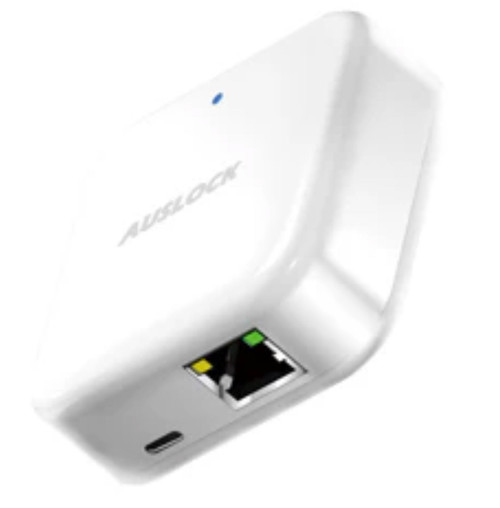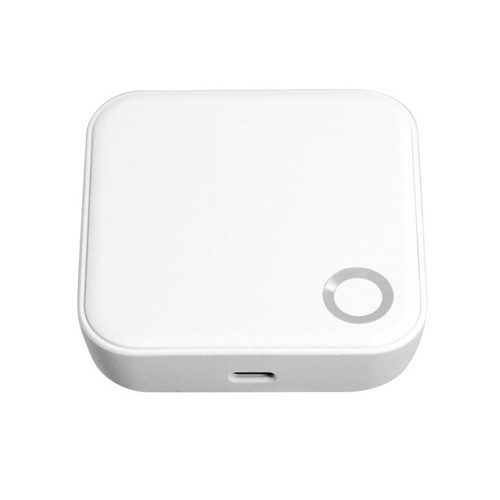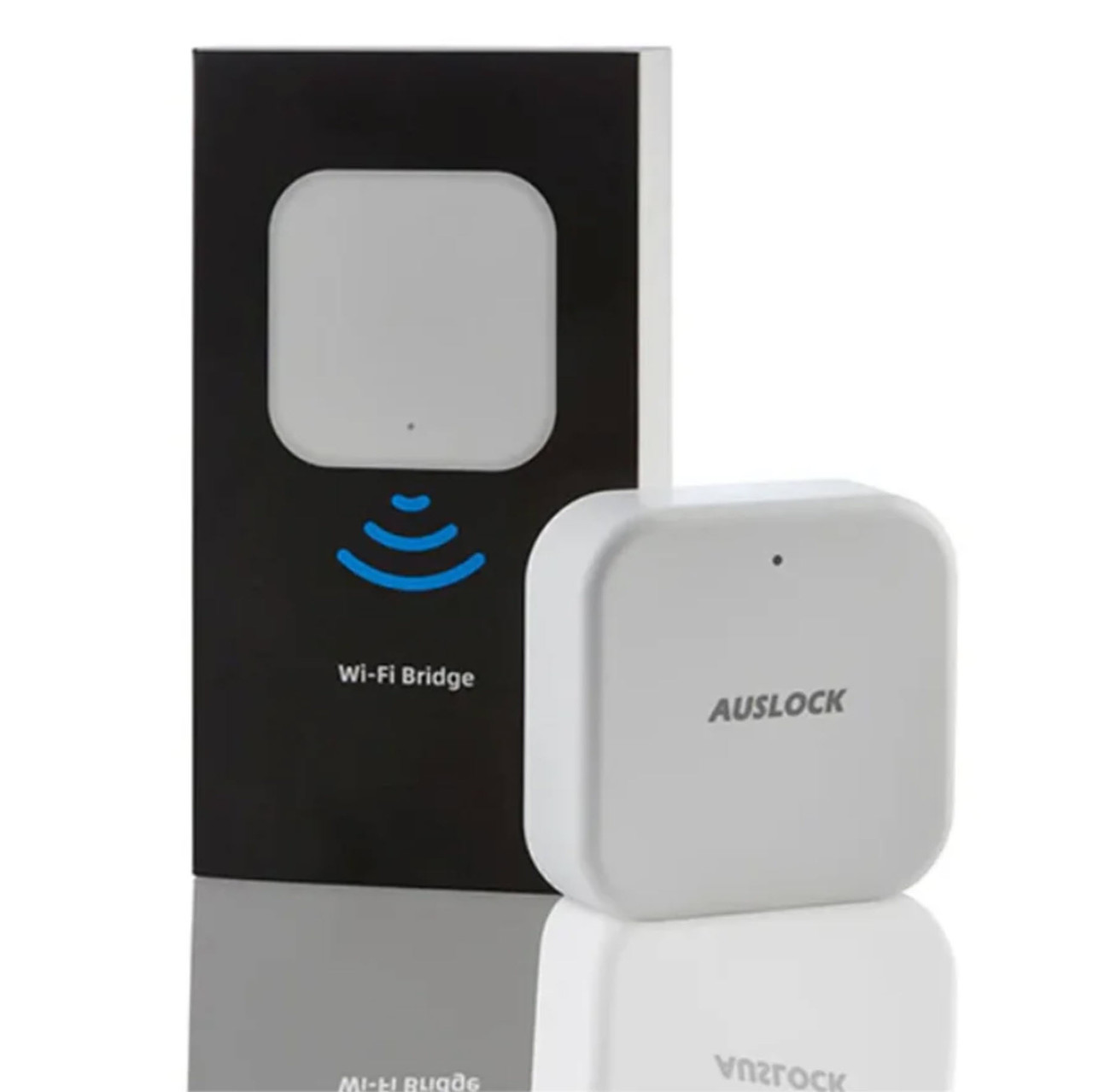


Auslock Gateway G2 - Wi-Fi Remote Access for Auslock Bluetooth Smart Locks
The Auslock Gateway G2 is a small plug-in bridge that connects your Auslock Bluetooth smart locks to your home Wi-Fi, and through it to the internet. Without a gateway an Auslock lock is a Bluetooth device: it works perfectly at the door, from a phone within a few metres, but it has no way of reaching you once you drive away. The G2 is what closes that gap.
It sits anywhere in the house within reach of a power point and a 2.4 GHz Wi-Fi signal, listens for the locks around it, and passes their traffic on to the Auslock App. One gateway serves up to five locks. Once it is running you can unlock remotely, create and cancel passcodes from anywhere, read the unlock record back off the lock, and get a notification the moment someone opens the door.
The G2 is the Wi-Fi model in a two-gateway range. Its sister, the Auslock Gateway G3, does exactly the same job over a wired Ethernet cable instead, which suits sites where Wi-Fi is unreliable or where the network is centrally managed. Neither gateway is a lock and neither adds any security of its own - they add reach.

Usually ships same day if ordered before 11am AEST (excludes weekends and Queensland public holidays).

The Auslock Gateway G2 is a network bridge, not a lock. It has no keypad, no fingerprint reader, no bolt and no locking function of its own, and it will not secure a door on its own. It exists to give an Auslock Bluetooth lock you already own a connection to the internet so the Auslock App can reach it from anywhere. If you have not bought a lock yet, start with the smart lock you want first - browse the full Auslock and smart lock range - then add a gateway to it.
 Key Features
- Connects Auslock Bluetooth locks to the internet so they can be reached, unlocked and managed from anywhere.
- Supports up to five compatible Auslock locks on one gateway, within about 12 metres of open space.
- Talks to the locks over Zigbee and Bluetooth V4.2, and to your network over 2.4 GHz Wi-Fi.
- Unlocks remote passcode creation and deletion, live unlock notifications, unlock-record retrieval and remote clock calibration in the app.
- Works with Google Assistant and Amazon Alexa for voice control once linked - see the gateway and module range for what else pairs with the Auslock App.
- Plugs into a USB-C power point and stays powered; there is no battery to change.
- Compact at 65 x 65 x 17 mm, in White, so it disappears on a shelf or behind a door.
- App-guided setup: plug it in, pair it in the app, and the locks nearby appear on their own.
 How It Works
The lock itself never joins your Wi-Fi. Auslock locks speak Bluetooth and Zigbee, which are short-range, low-power radios chosen deliberately because they let a lock run for many months on a set of batteries. What they cannot do is reach the internet. The G2 is the translator: it holds a permanent 2.4 GHz Wi-Fi connection on one side and listens for the locks on the other, so a command you send from the other side of the country arrives at a lock that has no idea the internet exists.
That has one important practical consequence. The gateway has to be within radio range of the lock, not just somewhere in the house. Auslock publishes about 12 metres of open space, and every wall, steel stud and tiled surface between the gateway and the door eats into that. A gateway on a power point in the hallway near the front door will always outperform one in the back bedroom. Buyer's Guide Chapter 08 covers where to put a gateway in more detail.
The second consequence is specific to the G2: it is a 2.4 GHz device and will not see a 5 GHz network. Most modern routers broadcast both bands under a single name and quietly steer devices between them, which is convenient for phones and laptops and a genuine problem for smart-home hardware. If the G2 will not complete setup, band steering is the first thing to check - the Wi-Fi dropout guide explains how to split the bands, and Buyer's Guide Chapter 08 covers the same issue from the gateway side.

The gateway only carries remote traffic. Every credential programmed into the lock itself - PIN code, fingerprint, card, mechanical key and Bluetooth from a phone standing at the door - continues to work exactly as before if the internet drops, the power goes out or the gateway is unplugged. What you lose is remote access, live notifications and the ability to issue a code to someone while you are away. Buyer's Guide Chapter 08 covers this in what happens when the internet goes down.
 Setup and Pairing
Setup is done entirely in the Auslock App, with the gateway powered and sitting where it will live. Add your locks to the app first; the gateway finds them afterwards.
- Open the Auslock App and tap the menu icon at the top left.
- Select Gateway, then select G2.
- Plug the gateway into a USB-C power supply and power it on. The status light flashes red and blue alternately, which means it is in standby and ready to pair.
- Tap the + sign to add the gateway.
- Choose your 2.4 GHz Wi-Fi network from the list and enter its password, then give the gateway a name.
- Wait for the app to confirm the gateway has been added. Give it a minute or two and the locks within range appear in the app on their own, ready to be bound to the gateway.
 Reading the Status Light

A repeated timeout almost always means the phone is on a 5 GHz network or a band-steered combined network. Connect the phone to the 2.4 GHz band specifically, or split the bands into two named networks on the router, and run the pairing again. The Wi-Fi dropout guide walks through both fixes.
 Compatible Auslock Locks
The G2 pairs with every Auslock Bluetooth smart lock stocked by Terry's. Each lock below is managed through the same Auslock App account once the gateway is added.
- H06 Glory Series Smart Mortice Lock
- H05 Handy Series Smart Mortice Lock
- S3B Super Slim Smart Mortice Lock
- H11A Handy Series Smart Latch Lock
- H11B Handy Series Smart Latch Lock with Fingerprint
- H13 Smart Lever Handle Lock
- N25 Novo Smart Lever Lock
- T13B Smart Deadbolt
- S31B Ultra Slim - Hinged Door
- S31B Ultra Slim - Sliding Door

The Space Alloy A519 runs on the USmart Go app rather than the Auslock App, and has its own built-in Wi-Fi. It does not pair with the G2 or with any other Auslock gateway, and it does not need one.
 What's in the Box
- Auslock Gateway G2 unit x1
 Suitable Uses
- Homes where the lock is already installed - add remote access to an Auslock Bluetooth lock without changing the lock or the door.
- Short-stay and holiday rentals - issue and revoke guest passcodes remotely between bookings instead of meeting every guest at the door. Buyer's Guide Chapter 07 covers running several properties this way.
- Tenanted properties - add and remove tenant credentials between tenancies without a site visit.
- Households that want unlock notifications - see who opened the door and when, from anywhere.
- Properties already running one or more Bluetooth-only smart locks that the owner now wants to reach remotely.
 Auslock Gateway Range
Auslock makes two gateways. They do the same job for the same locks through the same app; the difference is how each one reaches your network.
 Full Specifications

 Auslock App
The gateway is managed entirely from the Auslock App, which is free and available for iOS from the App Store and for Android from Google Play. One account holds every lock and gateway on the property. Buyer's Guide Chapter 15 covers how to weigh up a lock platform before you commit to it.
With the G2 added, the app gains remote unlocking, remote passcode creation and deletion, live unlock notifications, the unlock record read back from the lock, and remote clock calibration. Voice control through Google Assistant and Amazon Alexa is set up separately once the gateway is running - the Google Home and Alexa linking guides are in the PDF downloads below.


 Available Finish Options
 White(This Product)STK AUS - G2
White is the only finish Auslock publishes for the gateway range.
 Frequently Asked Questions
Only if you want to use the lock when you are not standing next to it. Without a gateway the lock works fully at the door - PIN, fingerprint, card, key and Bluetooth from your phone. The gateway adds remote unlocking, remote passcode management, notifications and the unlock log. Buyer's Guide Chapter 14 sets out the difference between Bluetooth-only and gateway-connected operation.

No. The G2 is a 2.4 GHz device. If your router broadcasts both bands under one network name it will often push the gateway onto 5 GHz during setup and the pairing will fail. Split the bands into separately named networks, or connect your phone to the 2.4 GHz band while pairing. This is the single most common smart-home Wi-Fi problem and the fix is well documented.
Up to five, within about 12 metres of open space. Larger homes, or homes with locks at opposite ends, generally need a second gateway rather than a better-placed single one.
Nothing changes at the door. Every credential stored in the lock keeps working. You lose remote access and notifications until the connection returns. Chapter 13 answers the common connectivity questions in more detail.
Auslock publishes no packing list for the gateways, so assume not and have a USB-C power adaptor ready. Any standard 5 VDC / 1.0 A phone charger will run it.
Additional Information
The instinct is to plug a gateway in beside the modem. That is the wrong end. The Wi-Fi side of the link is the easy half; the radio link to the lock is what fails. Position the gateway as close to the lock as a power point allows, and let the Wi-Fi cover the distance back to the router. Chapter 08 has the placement detail.
Adding a gateway does not make a lock harder to defeat. It makes the lock reachable. Everything the gateway adds - remote unlock, passcodes on demand, the activity log - is about convenience and oversight, not about resistance to attack. Judge the lock on its own merits and add the gateway for what it does.
Locks and gateways on the same property all sit under a single Auslock App account. If you manage several properties, that matters more than it sounds - Chapter 07 covers the multi-property setup.
Linking Google Home or Alexa is done after the gateway is running and is a separate process in each of those apps. Both guides are in the downloads below. Voice unlocking requires a security code you set in the Auslock App - it is not open to anyone who can speak to the speaker.

The gateway is a plug-in device that anyone can set up. The lock it serves is a different matter - if the door needs preparation or the mortice needs changing, our locksmiths can quote the installation.
 Warranty
This Auslock product is backed by a 12-month limited manufacturer's warranty covering defects in materials and internal electronic components under normal residential use. All warranty claims are handled by Terry's Tradies Pty Ltd and its associated websites, trading names, and subsidiaries - contact us in the first instance and we'll take care of it from there. Proof of purchase required for all claims. Returns & Warranty
 Download PDF Resources
The full 24-page Auslock range catalogue. Page 23 is the gateway page and carries the published G2 and G3 specification table.
The 55-page app manual covering registration, passcodes, eKeys, cards, fingerprints, unlock records and, at section 10, gateway management.
Five-page walkthrough for linking an Auslock account to Google Home so the lock can be operated by voice once a gateway is running.
Step-by-step guide to linking an Auslock account to Amazon Alexa for voice control through a gateway.
Auslock Gateway G2 - Questions Answered in Full
Getting started
What exactly does an Auslock gateway do?
It bridges two radio worlds. Auslock locks communicate over Bluetooth and Zigbee, which are deliberately short-range so the lock can run for months on batteries. Your house communicates with the outside world over Wi-Fi and the internet. The gateway holds both connections at once and passes messages between them. That is the whole function. Buyer's Guide Chapter 08 explains the concept across every gateway brand we stock.
Do I have to buy a gateway with the lock?
No, and plenty of customers never do. A gateway is an upgrade you can add at any point, including years later. The lock does not need to be reconfigured to accept one, and adding a gateway does not disturb existing codes, fingerprints or cards.
Can I move it between properties?
Yes. The gateway is not bound to a lock at the hardware level. Remove it from the app on the old property, plug it in at the new one and pair it again to the new Wi-Fi network.
Network and connectivity
Why 2.4 GHz and not 5 GHz?
2.4 GHz travels further and penetrates walls far better than 5 GHz, which matters for a device that has to hold a stable link from a hallway power point. Nearly all smart-home hardware makes the same choice. The trade-off is that 2.4 GHz is more congested and that combined-band routers can cause pairing problems - covered in full in the Wi-Fi dropout guide.
The gateway keeps showing a red light. What now?
A steady red light means the gateway cannot reach the internet. Check the router is up, confirm the gateway is still on the 2.4 GHz network, and power-cycle the gateway. If it returns to red after a successful pairing, the usual cause is a router that has renamed or merged its networks. The stability section of the dropout guide covers the practical fixes.
Will a mesh Wi-Fi system work?
Usually, provided a 2.4 GHz band is available and the gateway can be pointed at it during setup. Mesh systems are among the more common causes of band-steering trouble, so expect to look at the band settings rather than assuming it will just work.
Can I use the G2 over mobile data or a hotspot?
Auslock does not publish support for this and we would not recommend planning around it. The gateway expects a permanent network it can rejoin automatically after a power cut.
Using it day to day
What can I actually do remotely once it is set up?
Unlock the door, create a passcode and send it to someone, cancel a passcode you issued earlier, read back the unlock record to see who opened the door and when, receive a notification at the moment of each unlock, and correct the lock clock if it drifts.
Does it work with voice assistants?
Yes, with Google Assistant and Amazon Alexa. Both are linked after the gateway is running, using the setup guides in the downloads on this page. Unlocking by voice requires a security code, so a visitor cannot simply ask the speaker to open the door.
Will it drain my lock batteries faster?
The lock stays in the same low-power Bluetooth and Zigbee mode it was already in, so the effect is modest rather than dramatic. Remote operations do wake the lock, so a heavily used remote-unlock setup will shorten battery life somewhat compared with a lock only ever opened by fingerprint at the door.
Choosing between the G2 and the G3
Which one should I buy?
Take the G2 if there is a reliable 2.4 GHz Wi-Fi signal and a power point near the door. Take the G3 if the site has structured cabling to that location, if the Wi-Fi is unreliable or heavily band-steered, or if the building's IT policy keeps devices like this off the wireless network.
Are the features different?
No. Same locks, same app, same remote functions, same voice assistants. The only difference is how the gateway reaches the network.
Is the Auslock G2 the same as the G2 gateway on other smart locks?
No, and this catches people out. Several smart-lock brands number their gateways G2, G3, G4 and G5, and those are different products on a different platform. An Auslock gateway pairs with Auslock locks through the Auslock App. Do not buy across brands on the strength of a matching model number.
PDF Files - STK AUS - G2
The full 24-page Auslock range catalogue. Page 23 is the gateway page and carries the published G2 and G3 specification table.
The 55-page app manual covering registration, passcodes, eKeys, cards, fingerprints, unlock records and, at section 10, gateway management.
Five-page walkthrough for linking an Auslock account to Google Home so the lock can be operated by voice once a gateway is running.
Step-by-step guide to linking an Auslock account to Amazon Alexa for voice control through a gateway.
Auslock Warranty
All Auslock products purchased through Terry's Tradies Pty Ltd and its associated websites, trading names, and subsidiaries are backed by a 12-month limited manufacturer's warranty. If something isn't right, contact us first - we manage all warranty assessments on your behalf and will work with you to get it resolved.
Warranty Summary
How to Make a Claim
- Contact Terry's Tradies Pty Ltd at your original place of purchase with a description of the fault.
- Have your proof of purchase ready (receipt or order confirmation).
- Provide clear photos and/or video of the defect - this is required before any assessment can begin.
- We may ask you to complete troubleshooting steps or a technical support form before the item is returned. Do not send the product back without our written approval.
- If the claim is approved, we will arrange the next steps with you directly - including return freight where applicable.
What the Warranty Doesn't Cover
The following are not covered under the Auslock manufacturer's warranty:
- Incorrect or improper installation
- Door or frame misalignment
- Incorrect mortise, latch, or backset selection
- Installation on doors outside the product's specifications
- Environmental exposure beyond the product's stated IP rating
- Water ingress not consistent with the product's IP rating
- Power surge, fire, flood, lightning, or other natural disaster
- Cosmetic damage or normal wear and tear
- Battery misuse or leakage
- Forced entry, vandalism, or tampering
- Unauthorised modification
- Use of non-Auslock components
- Commercial or high-traffic use (unless approved in writing)
Rechargeable battery products (Models A01, A02, A03, A519, A619): Battery-related damage is excluded where a non-certified charger, fast charger, incorrect voltage (outside 5.2V / 2A), third-party battery, or unsuitable charging environment has been used.
Change-of-Mind Returns
Change-of-mind returns are accepted at our discretion and subject to the manufacturer's return conditions. If you've changed your mind, contact us within 14 days of receiving your order and we'll let you know if a return is possible and what applies.
To be eligible, products must be:
- Unused and uninstalled
- Not powered on, activated, paired, programmed, or configured in any way
- In original, fully sealed condition with all packaging, accessories, and components
Where a return is approved, a 20% restocking fee applies and return shipping is at your cost. Products that have been installed, powered on, or had any credentials registered are not eligible for return.
Our goods come with guarantees that cannot be excluded under the Australian Consumer Law (ACL). You are entitled to a replacement or refund for a major failure and compensation for any other reasonably foreseeable loss or damage. You are also entitled to have goods repaired or replaced if they fail to be of acceptable quality and the failure does not amount to a major failure. Nothing in this policy limits or excludes your rights under the ACL.

Confused? Overwhelmed? We get it.
Choosing the right smart lock can be genuinely tricky - door types, backsets, app platforms, compatibility with your existing hardware... there is a lot to consider. We have decades of experience fitting locks of all types, including smart locks, and we are happy to help.
Our expert recommendation service is free. Upload a few photos of your door and describe what you need, and one of our qualified locksmiths will give you a personalised recommendation.
Get Your Free Recommendation →How it works - three easy steps:
1. Upload photos
A few clear shots of your door, lock and frame - inside and out.
2. We assess
Our locksmith reviews your setup and requirements - door type, weather exposure, how you want to use it.
3. You get a recommendation
A personalised recommendation tailored to your door, budget and needs. No pressure, no upsell.
Also useful while you are deciding: