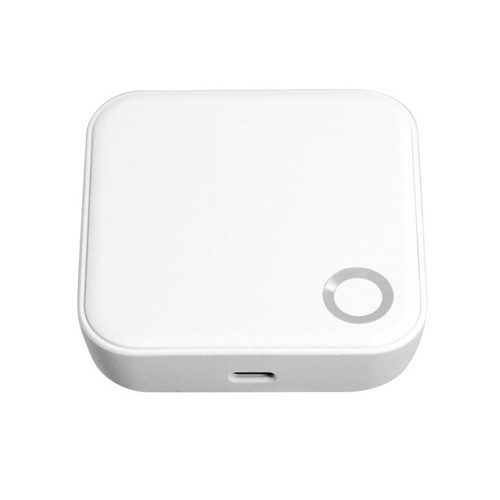


Vault G5 Gateway for Remote Access & Smart Home Control
The Vault G5 Gateway (Vault_G5) is the Wi-Fi bridge for Vault smart locks, connecting compatible locks to the internet and unlocking remote management and smart-home functionality through the Vault app.
Without the gateway, compatible Vault locks operate locally through Bluetooth and onboard credentials. With the G5 Gateway installed, supported locks can be managed remotely for functions such as activity review, credential updates, clock calibration, and compatible Alexa or Google Home integration.
The G5 is an accessory device, not a lock. It is intended to extend the capabilities of supported Vault smart locks - such as the Vault Eclipse - that already operate locally through the Vault app.

Usually ships in 3 business days.
 Key Features
- Connects compatible Vault smart locks to your home or site Wi-Fi network.
- Enables remote lock management through the Vault app.
- Supports access-log viewing and remote credential management on compatible locks.
- Enables compatible Alexa and Google Home integration.
- Acts as the bridge between Bluetooth-based Vault locks and internet-based remote control.
 What's in the Box
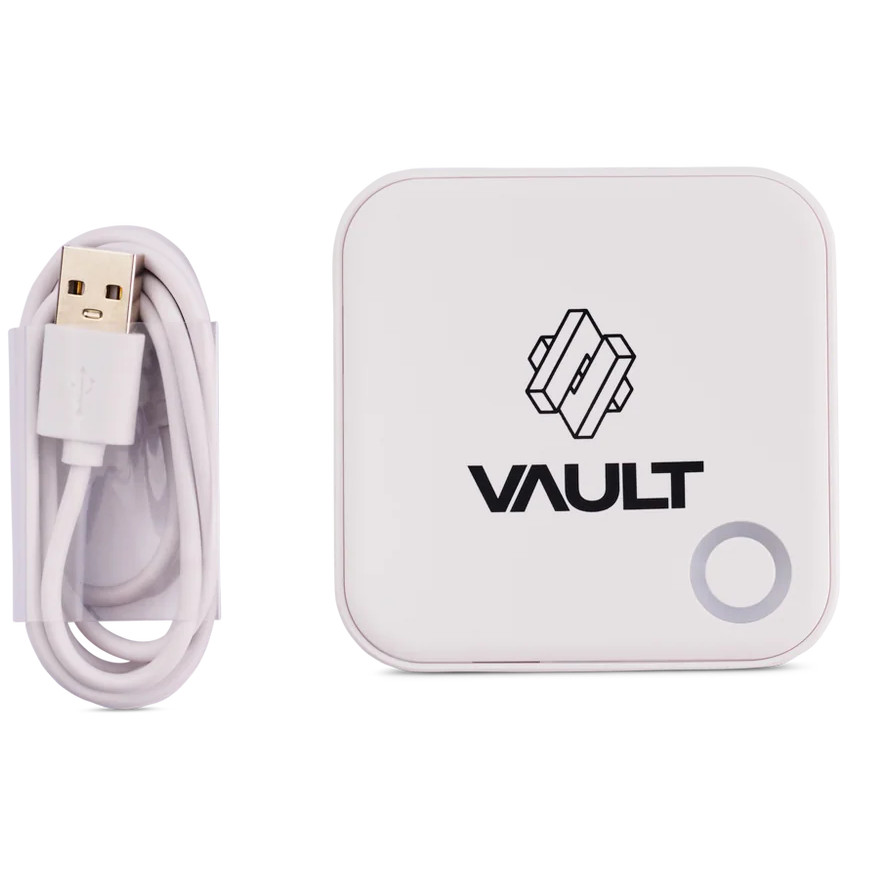
- Vault G5 Gateway
- USB power cable
- Digital manual
 Remote Functions
Compatible Vault locks communicate locally through Bluetooth. The G5 Gateway bridges those locks to your Wi-Fi network so remote functions become available through the Vault app.
 Suitable Uses
- Homes requiring remote lock control
- Property managers needing off-site access management
- Holiday rentals or serviced accommodation
- Multi-lock environments using the Vault app
- Users wanting Alexa or Google Home integration on compatible Vault locks - see also our other modules and WiFi gateways/bridges
 Full Specifications
Light Status
The LED on the G5 shows its connection state during and after setup:

 Frequently Asked Questions

No. Compatible Vault locks operate locally via Bluetooth and onboard credentials. The G5 is required only for remote control and internet-based features - see what a gateway does.
It connects compatible Vault locks to your Wi-Fi network so remote functions can be managed through the Vault app - remote lock/unlock, access logs, remote passcode changes and clock calibration.
Yes. Compatible locks can integrate with supported Alexa and Google Home setups when paired with the G5 Gateway.

Yes. The G5 manual states that compatible locks can have passcodes remotely modified or deleted through the gateway connection.
Confirm it is on a supported Wi-Fi band, is within range, and has continuous power. Our guide covers common dropout causes and how to improve stability.
No. It is an accessory device that extends the capabilities of compatible Vault smart locks.
Additional Information


 Warranty
Vault Smart Locks products purchased in Australia are covered against defects in materials and workmanship under normal residential or commercial use for:
- Standard range: 12 months from the date of purchase
- Select Signature Range models: 24 months (as stated on the product listing or packaging)
Returns & Warranty|View Vault Warranty Policy
This warranty operates in addition to your rights under the Australian Consumer Law.
 Download PDF Resources
4-page user manual - app registration, connecting a lock to your phone, the gateway's role, and the add-gateway pairing and light-status panels.
Vault G5 Gateway - User Manual


PDF Files - Vault G5 Gateway
4-page user manual - app registration, connecting a lock to your phone, the gateway's role, and the add-gateway pairing and light-status panels.
Vault Warranty
Vault Smart Locks products are backed by a manufacturer's warranty against defects in materials and workmanship under normal residential or commercial use. All claims are handled locally by Terry's Tradies Pty Ltd and its associated websites, trading names, and subsidiaries - start with us and we'll manage the process with Vault on your behalf.
Warranty Summary
 How to Make a Claim
- Contact Terry's Gold Coast Smart Locks through the Returns & Warranty page above, with your proof of purchase (invoice or receipt).
- Have your product model and serial number (if applicable) ready, along with a brief description of the fault and your installation address.
- We assess your claim with Vault and advise the outcome and next steps. You may be asked to return the product for inspection.
 What This Warranty Does Not Cover
- Normal wear and tear.
- Cosmetic damage that does not affect performance.
- Damage caused by incorrect installation, misuse, neglect, modification, or accident.
- Damage due to improper handling, or installation by an unlicensed technician.
- Products that have been disassembled, tampered with, or where the security seal or warranty label has been removed.
- Battery leakage or failure, or damage caused by incorrect battery usage.
- Environmental or weather damage caused by use outside recommended operating conditions.
- Labour, installation, or removal costs associated with replacing or reinstalling products.
- Work performed before warranty approval or assessment.
Important Notes
Where a Vault product carries an Ingress Protection (IP) rating, that rating is stated on the individual product listing, packaging or technical documentation. Unless stated otherwise in writing, the IP rating applies only to the external-facing side of the lock - not to the internal assembly, handle, battery compartment, electronics, cables or connectors. The internal side must be installed in a dry, sheltered position. An IP rating describes water resistance, not waterproofing: the lock must not be submerged, pressure washed, or exposed beyond its stated rating, and all seals, gaskets and covers must be correctly fitted and undamaged.
Vault's manufacturer policy applies a warranty assessment holding fee, which is refundable if the fault is found to be covered under warranty. If a product is assessed as outside warranty or damaged by an excluded cause, a discounted replacement may be offered. We will confirm any applicable fees and options with you before any assessment proceeds.
This warranty is provided in addition to your rights under the Australian Consumer Law (ACL). Our goods come with guarantees that cannot be excluded under the ACL. You are entitled to a replacement or refund for a major failure, and to have goods repaired or replaced if they fail to be of acceptable quality and the failure does not amount to a major failure.

Confused? Overwhelmed? We get it.
Choosing the right smart lock can be genuinely tricky - door types, backsets, app platforms, compatibility with your existing hardware... there is a lot to consider. We have decades of experience fitting locks of all types, including smart locks, and we are happy to help.
Our expert recommendation service is free. Upload a few photos of your door and describe what you need, and one of our qualified locksmiths will give you a personalised recommendation.
Get Your Free Recommendation →How it works - three easy steps:
1. Upload photos
A few clear shots of your door, lock and frame - inside and out.
2. We assess
Our locksmith reviews your setup and requirements - door type, weather exposure, how you want to use it.
3. You get a recommendation
A personalised recommendation tailored to your door, budget and needs. No pressure, no upsell.
Also useful while you are deciding: