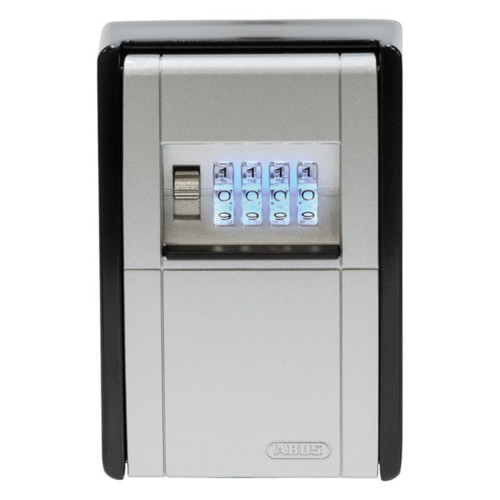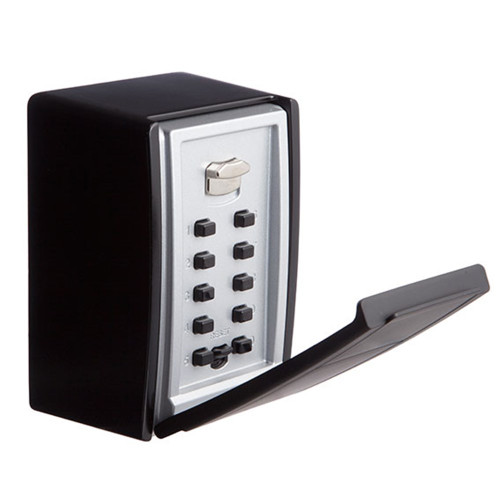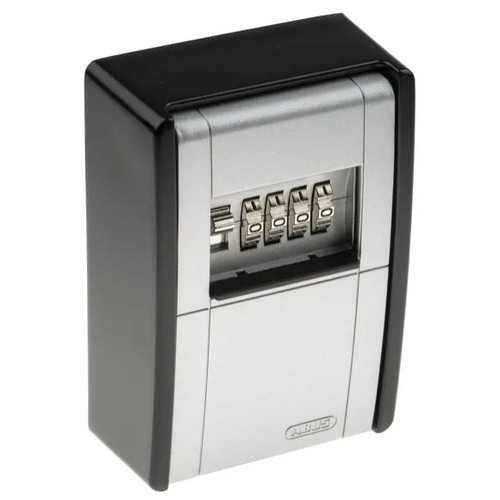


ABUS Key Garage One KG787BTC Smart Bluetooth - Wall Mounted
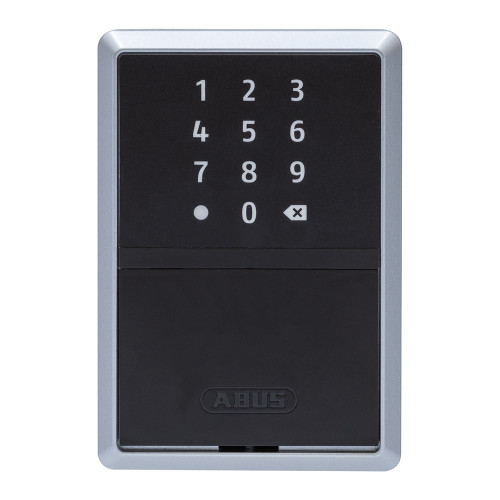
The ABUS Key Garage One KG787BTC is a wall-mounted key safe with an electronic illuminated touchpad instead of dials. It opens two ways: from a phone over Bluetooth using the free ABUS app, or by typing a 6-digit numeric code on the keypad. The code is the important half - it means the cleaner, the carer or the tradesperson never has to install anything, create an account or own a particular phone. You send them six digits and they are in.
What separates it from the mechanical boxes in the same range is not the keypad, it is the bookkeeping. Every person gets their own code rather than sharing one. A code can be set to work only on certain dates, days and times. It can be cancelled the moment a job finishes, without changing anything for anyone else. And the unit keeps an event log, so you can look back and see when the box was opened and by whom - which a shared four-digit combination can never tell you.
None of that runs through a cloud account. The phone talks straight to the box over Bluetooth, which is worth knowing before you compare it with key safes that need an internet connection and a hosted account to work at all. Add the separately available ABUS BRIDGE One and you can reach it remotely; leave the BRIDGE off and it is a self-contained box that works whether or not the internet does.
Inside, it holds up to 20 keys, or three car keys, or 30 cards in credit-card format, on two hooks with room for whole bunches. It mounts to a wall indoors or in a protected outdoor position, is rated IP54, and runs on two AA batteries reached from outside - so nobody has to be inside the box to change them. If you want the same body and capacity without the electronics, that is the mechanical ABUS Key Garage KG787C, and the rest of the key storage range sits between the two.
 Key Features
- Two ways in - app or keypad. Open it from a paired phone over Bluetooth, or type a 6-digit numeric code on the illuminated touchpad. No smartphone is needed at the box itself.
- An individual code per person, not one shared combination. The administrator issues each user their own code through the app, or sends a smartphone invitation, and can limit or withdraw either at any time.
- Calendar function. Access can be tied to specific dates, days and times, so a code stops working on its own rather than needing to be remembered and cancelled.
- Event log. The app records openings, which is the difference between thinking you know who has been in and being able to check.
- No cloud storage. The phone talks directly to the box over Bluetooth - there is no hosted account holding your access data. This is what the difference between a smart lock and a connected lock looks like in practice.
- AES-128 encryption on the Bluetooth link, operating in the 2.402-2.480 GHz band at under 10 dBm eirp.
- Locks itself once the compartment is closed - nobody has to remember to secure it.
- Illuminated keypad and LED status signalling - unlocked, locked, wrong code, out-of-hours and low battery each have their own signal.
- Holds up to 20 keys, three car keys, or 30 cards in credit-card format, on two hooks, with room for whole key rings.
- Batteries reached from outside. Two AA cells behind a flap on the underside, changed with one screw - the compartment never has to be opened or emptied to do it.
- IP54 and rated for protected outdoor mounting, in a sturdy metal housing.
- Covered in our guide to Bluetooth key safes, which sets this class of product against the mechanical alternative.

Most app-managed key safes keep your users, codes and access history on the manufacturer's servers. This one does not: the phone connects straight to the box over Bluetooth, and the access data lives in the app and the unit. That has an obvious upside and one practical consequence - to issue or withdraw a code you need to be near the box, unless you add the separately available ABUS BRIDGE One. If data handling on connected devices matters to you, the Buyer's Guide covers Australia's smart device cyber security rules.
 What's in the Box
- 1 x ABUS Key Garage One KG787BTC wall-mounted Bluetooth key safe
- 1 x ABUS HomeTec Pro KEYCARD (carries the QR code that resets a forgotten password)
- 2 x 1.5 V AA alkaline batteries
- Wall fixing kit - 3 x 4.2 x 50 mm screws and 3 x S6 wall plugs
- Key hooks, fitted
- ABUS KeyGarage 787 / 797 Smart-BT operating instructions (multilingual)

The supplied ABUS keycard is the reset credential for the unit, and its QR code is what restores access if the password is forgotten. Match each card to its own unit, keep it somewhere safe indoors, and never store it inside the KeyGarage itself - a card left in the box defeats the point of the box.
 Suitable Uses
- Holiday lets and short-stay properties. Give each guest a code that starts and stops with their booking, and check afterwards when the box was actually opened. The Buyer's Guide explains why an audit trail settles disputes that a shared combination cannot.
- Cleaners, tradespeople and service calls. A code per contractor, live only on the days they are booked, withdrawn when the job is done - without re-coding the box for everyone else.
- Carers, NDIS support workers and home health visits. Rostered access with a record of it, and no keys circulating between workers who change shift.
- Property managers running several addresses. One app account, one box per address, each with its own users. Chapter 7 covers the practicalities of managing access across multiple properties.
- Somewhere to keep the backup key for a smart lock. A mechanical override key is no use inside the house it opens - the honest answer is storing the override key outside the house, in something like this.
- Small commercial premises that need key accountability without the cost of a full access control system.

Worth comparing before you commit. The Igloohome Keybox 3 Smart issues offline codes generated by algorithm and is built around short-stay hosting. The Master Lock 5441EC Enterprise is the closest like-for-like wall-mount unit, with a portable 5440EC alongside it. And the McGrath KEYSAFE is rated IP65 rather than IP54, which matters if the mounting position is genuinely exposed. The full key storage range has the mechanical options as well.
 Available Finish Options
 Black Silver
Body
(This Product)
KG787BTC Black Silver
Surround
(This Product)
KG787BTC
The KG787BTC comes in one finish only - black with a silver surround. The two swatches above show the two colours of that single finish, not two options to choose between. Finish selection does not affect functionality, compliance, or performance.
 ABUS Key Garage - Item Code Family
The KG787BTC (bold row) is the only model in this family with electronic access, per-user codes, a calendar function and an event log. Every other model opens on one shared mechanical combination, which anyone who has ever been told it knows for good.
 Accessories & Spares

The KG787BTC as ABUS documents it is the wall-mounted Smart-BT model - it is drilled, plugged and screwed to a wall, and every shackle instruction in the Smart-BT manual is headed for the 797 Smart-BT, the shackle variant. We list KG787BTSHKL as the Smart-BT shackle part, but we would rather you rang us than guessed: tell us which unit you have and we will confirm the part before you buy it.
 Full Specifications
 Dimensions
The unit stands 120 mm high and sits 63 mm off the wall - both figures agree across every ABUS document we hold. The overall width and the weight do not: two ABUS documents give two different numbers for each, so we are not quoting either until ABUS confirms which is right. If a millimetre of width decides whether this fits your position, ring us and we will measure a unit off the shelf rather than read you a figure we cannot stand behind.

External dimension drawing for the ABUS KeyGarage 787 / 797 body - overall height, width and depth as installed.

Internal compartment drawing - the usable space that holds up to 20 keys, three car keys or 30 cards.
 Battery & Power
The KG787BTC runs on two 1.5 V AA alkaline cells, supplied in the box, and ABUS puts their life at about two years in normal use. AA is the point: no coin cells, no proprietary pack, no trip to a battery specialist - the local supermarket has them at eleven at night.
The battery compartment is on the outside. One screw on the underside holds a protective flap; loosen it, lift the flap off, swap the cells the right way round, refit the flap and tighten the screw. You never have to open the key compartment to change batteries, which matters, because the people who tend to notice a flat battery are the ones who cannot get in.
Before that happens the unit tells you. An orange LED shows before every locking and unlocking once the cells are low, and it keeps showing until they are replaced - it is a standing warning, not a one-off. Use alkaline cells as specified, do not mix old and new or different types, and take flat cells out rather than leaving them in. If you manage the property rather than live in it, keep a spare pair on site; our guide to what battery life really looks like on electronic locks is worth five minutes before you set a maintenance interval.


 ABUS HomeTec Pro App
The KG787BTC is set up and managed from the free ABUS HomeTec Pro app, available for iOS and Android. You need a phone with Bluetooth 4.0 LE or higher running a current version of either operating system. Turn Bluetooth on, open the app, use the Add HomeTec Pro / component button and follow the prompts - that is the whole pairing process.
There is a rename in progress, and it is worth knowing about. ABUS has moved this product into its newer ABUS One app, where it is called the KEYGARAGE One 787 - which is where the "One" in the product name comes from. The HomeTec Pro app still works with it. Either app will get you going; if you are already running other ABUS HomeTec Pro hardware, staying on that app keeps everything in one place.
Everything happens over Bluetooth between your phone and the box. That means no gateway and no internet connection are needed to use it, and it also means you have to be at the box to change anything. The separately available ABUS BRIDGE One is what closes that gap: with one fitted you can unlock, lock, manage permissions and read the event log remotely, and receive push notifications when the box is used. It is a separate purchase and is not included here. The unit is listed under app-enabled and Bluetooth smart locks, and Chapter 3 of the Buyer's Guide explains how Bluetooth access compares with the other credential types.
Keep the app and the unit's firmware up to date. Firmware updates are delivered through the app, and running current firmware on a connected product is basic hygiene rather than an optional extra.
 Codes, Invitations and the Keycard
There are two ways to give somebody access, and they suit different people.
A 6-digit numeric code is the one to use for cleaners, contractors, guests and anyone whose phone you would rather not get involved with. The administrator generates an individual code per person in the app, optionally limited to particular dates, days and times, and sends it however suits - a text message is fine. The user types it on the keypad. Nothing is installed, nothing is paired, and if the code needs to stop working it is withdrawn in the app without touching anyone else's.
A smartphone invitation suits people who use the box often. They install the app, accept the invitation, and open the box from their phone over Bluetooth. Their permissions can be narrowed or revoked at any time from the administrator's app. Chapter 3 covers how PIN and keypad credentials behave compared with phone-based access if you are weighing the two up.
The keycard is your way back in. The ABUS keycard supplied with the unit carries a QR code, and scanning it is how a forgotten password is reset and reassigned. Keep it somewhere safe indoors, keep each card matched to its own unit if you run several, and never store it inside the KeyGarage - that is the one place it should not be.
What the LED Is Telling You
The KG787BTC signals with one indicator, and the colours are worth knowing before someone rings you from the driveway.
The two red signals are the useful pair to remember: one means the code is wrong, the other means the code is right but the person is early or late. On a shared mechanical box you would never be able to tell those apart.
 Wall Mounting
The KG787BTC screws to the wall through the back of the key compartment, so the fixings are inside the locked box and cannot be reached with the door shut. The sequence is short:
- Open the KeyGarage and hold it open against the wall, vertical - use a spirit level, because a box mounted out of plumb looks wrong for as long as it is there.
- Mark the three holes through the back plate.
- Drill 6 mm and insert the supplied S6 wall plugs.
- Screw the unit on with the three supplied 4.2 x 50 mm screws, then close the compartment.

Solid brick, masonry or structural timber - a key safe is only as strong as what it is bolted to, and plasterboard alone is not it. Mount it upright: ABUS is explicit that the unit must not be operated lying down in an unprotected outdoor area, because water finds its way in. Keep it under an eave or a porch rather than in open weather, out of prolonged direct sunlight, and out of the direct line of sight from the street where you can. If you would rather not drill into rendered brick yourself, we can supply and install it for you.
 Frequently Asked Questions
No, and this is the feature that sells the product. Only the administrator needs the app. Everyone else can be given a 6-digit numeric code and type it on the keypad - no phone, no account, no install, no particular operating system. Send the code by text and the cleaner who has never heard of ABUS can open the box on the first try.
You get plenty of warning first: an orange LED shows before every single lock and unlock once the cells are low, and keeps showing until they are changed. Two AA alkalines last about two years and are swapped from outside the box with one screw, so nobody has to be inside to fix it. Do not ignore the orange light - it is the whole safety net. It is the same lesson covered in what to do when an electronic lock's battery dies.

In a protected position, yes - that is what IP54 means: dust-protected and safe against splashing water from any direction. It is not a rating for a wall with no cover on it. Put it under an eave, a porch or a carport rather than in open weather, keep it out of long hours of direct sun, and mount it upright rather than lying down. Our piece on electronics in Gold Coast coastal conditions is worth reading if the address is near the water.
Yes. The unit keeps an event log that you read in the app, and because every person has their own code or their own phone invitation, an opening is attributable rather than anonymous. That is the practical difference between this and a shared combination box, where the most you can ever know is that someone who was once told the code got in.
It depends on how many people use it and how often that changes. One household, one spare key, three people who all know the code and always will - the KG787C does that job for a fraction of the money and never needs a battery. But the moment you have a roll of contractors, guests or carers coming and going, the mechanical box forces you to choose between re-coding it constantly and letting an old code stay live forever. That is the problem this one solves.
Additional Information

 Warranty
ABUS products are backed by a manufacturer's warranty covering defects in materials and workmanship. Warranty periods vary by product - contact us or refer to your product packaging for the period that applies to your model. All warranties are supported under the Australian Consumer Law. Proof of purchase required for all claims. Returns & Warranty | ABUS warranty & returns information
 Download PDF Resources
The Smart-BT manual: first-time setup and phone requirements, safety and temperature limits, wall mounting, battery replacement, HomeTec Pro app pairing and keycard handling, the LED signalling table and the technical data. Multilingual - this link opens at the start of the English section on page 3.
ABUS's own three-page datasheet for this model: what the app manages, the 6-digit code and invitation system, the event log, the illuminated keypad, IP54, the external AA battery compartment, the ABUS One rename, the separately available BRIDGE One, and the technical data table with the EAN.
The full key storage range with a model-by-model comparison matrix. The Smart KeyGarage 787 page - Bluetooth and AES-128, the calendar function, audit trails, QR-code entry, no cloud storage, IP54 and the two-year battery life - is page 9, where it is item 63824. This link opens there.
Eight-page range brochure organised by mechanism - push-button boxes first, then the dial-type wall and padlock models, closing with the automotive window adaptor. Range context only: it is an older document and predates the Smart-BT models, so its figures are not this product's.
ABUS Key Garage One KG787BTC - FAQ, Setup and Owner's Guide
Everything below comes from the ABUS Smart-BT operating instructions, the Smart KeyGarage One 787 specification sheet, the ABUS key storage catalogue and what we see come back across the counter. For the general questions that apply to every electronic lock we sell - power, security, day-to-day reliability - Chapter 13 of the Buyer's Guide is the wider companion to this page.
Getting Started and the App
A smartphone with Bluetooth 4.0 LE or higher running a current version of iOS or Android, and the free ABUS HomeTec Pro app.
That is the whole list. No hub, no gateway, no internet connection and no account with us.
Fit the supplied batteries, turn Bluetooth on, open the app and use the Add HomeTec Pro / component button, then follow the prompts. Out of the box the key compartment can be opened without Bluetooth or a code so you can get the batteries and hardware in - securing it is part of setup, so do not stop halfway.
Because ABUS renamed it. The product started life as the KEYGARAGE 787 SMART Bluetooth managed by the HomeTec Pro app; it now appears as the KEYGARAGE One 787 in the newer ABUS One app, which is where the "One" in the name on this page comes from. Both refer to the same hardware, and ABUS states that the HomeTec Pro app can still be used. If you already run other HomeTec Pro hardware, stay on that app and keep everything together.
It is the recovery credential. The ABUS keycard supplied in the box carries a QR code, and scanning that code is how a forgotten password gets reset and reassigned. Keep it indoors somewhere safe, keep one card matched to each unit if you run several, and - this is the one that catches people - never leave it inside the KeyGarage.

Not on its own - Bluetooth means being within range of the box. The separately available ABUS BRIDGE One is what adds remote unlocking and locking, remote permission management, event-log viewing and optional push notifications when the box is used. It is a separate purchase, not supplied here, and nothing about the box requires it. Chapter 1 explains the difference between a smart device and a connected one, which is exactly this distinction.
Yes. Updates come through the app, and ABUS asks you to keep both the app and the unit's firmware current. On any connected product that is basic maintenance rather than an optional extra - set a reminder alongside your battery check.
Codes, Users and Sharing Access
Six digits, numeric, and each person gets their own rather than sharing one. You generate them in the app and send them however suits - a text message is the usual way. Chapter 3 covers how PIN and keypad credentials behave in practice, including the habits that undo them.
Yes - that is the calendar function. Access can be tied to particular dates, days and times, so a cleaner's code works Tuesday mornings and a guest's code works for the nights of their stay and then stops on its own. It is the feature that removes the job you would otherwise forget to do.
Read which red it is. One red signal means the code was wrong or the person is not authorised at all; the other means the code is genuinely valid but not at that moment - they are outside the dates, days or times you set. It is usually the second one, and usually somebody arriving early.
Yes, and this is the core of the product. Permissions are per person, so you limit or withdraw one user's code or phone invitation in the app and everybody else carries on as before. On a mechanical combination box the only way to remove one person's access is to change the code for everyone and tell them all the new one.
Openings, viewable in the app. Because each user holds their own credential, an entry is attributable to a person rather than to "whoever knew the code". For short-stay and managed properties that is the difference between a dispute you can settle and one you cannot - Chapter 7 covers audit trails for dispute resolution.
Yes - one unit per address, all managed from the same app, each with its own users and its own log. Keep each unit's keycard matched to it and labelled; that is the part that gets confusing at the fourth property. Chapter 7 has the practical side of managing access across multiple properties.
Power and Batteries
Two 1.5 V AA alkaline cells, supplied, rated by ABUS at about two years in normal use. Heavy daily traffic will shorten that and a box opened twice a month will run longer. Use alkaline as specified, fit them the right way round, and do not mix old with new or one type with another.
From outside, with one screwdriver. Loosen the screw on the underside, take the protective flap off, swap the cells to the marked polarity, refit the flap and tighten the screw. The key compartment stays shut throughout - you do not need to be able to open the box to give it power, which is the whole reason ABUS put the compartment on the outside. The step-by-step is on page 7 of the Smart-BT instructions.
A lot. Once the cells are low an orange LED shows before every single locking and unlocking, and it keeps showing until they are replaced. It is not one polite notification you can miss - it is in front of every person who uses the box, every time. If you are seeing orange, change them this week.
That everybody ignores the orange light until the box has nothing left to run on. This is the trade you make when you choose an electronic key safe over a mechanical one, and it is worth being clear-eyed about it - the mechanical KG787C has no such failure mode, and no log either. Our two companion pieces are worth reading on this: what to do when the battery dies and battery life, the truth rather than the marketing version. Chapter 13 also covers power and battery questions across every product type.
Mounting, Weather and Position
Open the unit, hold it open and vertical against the wall, spirit-level it, mark the three holes, drill 6 mm, plug them with the supplied S6 plugs and screw it on with the three 4.2 x 50 mm screws in the box. Then close the compartment. The fixings sit behind the door, so they are not reachable once it is shut. The illustrated sequence is on page 5 of the Smart-BT instructions.
Protection against dust and against water splashing from any direction - enough for a sheltered outdoor position, not enough for a wall with nothing over it in a Gold Coast downpour. ABUS is specific that it is for protected outdoor areas. Chapter 11 explains what the two digits in an IP rating mean, which is worth two minutes before you pick a spot.
Yes, and ABUS says so directly: the unit must not be operated lying down in an unprotected outdoor area, because water gets in and stays in. Upright, under cover, out of prolonged direct sunlight. The operating and storage range is -10 C to +50 C, and a black box in full afternoon sun on a west wall is a hotter proposition than it looks.

It changes the maintenance, not the product choice. Salt air is hard on any outdoor hardware and harder on anything with electronics in it - rinse the outside of the box with fresh water occasionally, keep the battery flap screw done up, and expect a coastal install to age faster than one two suburbs inland. Chapter 11 covers what Queensland conditions do to hardware, and our own piece on coastal environments is the unvarnished version.
Yes. Drilling into rendered brick or tile and getting a box plumb, sheltered and discreet is a twenty-minute job done properly and an afternoon done twice. We supply and install across the Gold Coast, and if you are still deciding between formats you can book a free site survey first.
Security, Data and Limits
No. The catalogue states plainly that there is no cloud storage: the phone connects directly to the unit over Bluetooth, and the data lives in the app and the box. That is a genuine difference from most app-managed key safes, and the honest trade-off is that you have to be near the box to change anything unless a BRIDGE One is fitted.
With AES-128 bit encryption, on the 2.402 to 2.480 GHz band at under 10 dBm eirp. The radio module carries FCC ID XPYANNAB1 and IC 8595A-ANNAB1. If you want the background on how connected devices are regulated here, Chapter 11 covers Australia's smart device cyber security law and the statements of compliance worth asking for.
None, and we would rather say so than imply otherwise. ABUS states no CEN or EN grade, no insurance approval, no attack-resistance class and no Australian Standard for any KeyGarage, this one included. It is a solid metal box that solves an access-logistics problem and deters an opportunist. If the contents justify a genuine attack-resistant box, look at the Wolflok Pro or the Kidde KeySafe P500 with alarm sensor instead.
Clear the stored personal data before it leaves your hands - user records and an access history should not travel with the hardware. ABUS gives the same instruction in the manual, along with the electrical-waste and battery disposal requirements that apply at end of life.
No. Open the key compartment only - the housing holding the electronic unit is not to be opened, and no modifications are permitted. That includes drilling the case for a cable or a bracket, however neatly a particular position seems to call for it.
Choosing Between the Models
Count the people and count how often they change. A fixed household with one spare key is better served by the KG787C - cheaper, no batteries, nothing to update, and it will still work in twenty years. A rotating cast of guests, cleaners, carers or trades is what the KG787BTC is for, because a shared mechanical combination is permanent by nature: once somebody has been told it, they have it forever unless you re-code the box for everyone.
Then the electronics are not the deciding factor - the KG787BIG holds 50 keys or 30 cards on a mechanical four-dial combination, and no ABUS Smart-BT model matches it. It is a straight trade of per-user codes and a log for physical room.
The Igloohome Keybox 3 Smart generates offline codes by algorithm and is built around short-stay hosting. The Master Lock 5441EC is the closest like-for-like wall unit, with the 5440EC as its portable sibling. The McGrath KEYSAFE is IP65 rather than IP54, which is the one to look at if the position is genuinely exposed. Our overview of Bluetooth key safes sets out the class as a whole.
Possibly, and it deserves asking. Every key safe is a compromise - it puts a key outside the building in exchange for not having to be there to hand one over, and our guide is blunt about why the traditional hiding places do not work and what a box does better. If the real problem is that people keep needing to get in when nobody is home, a keypad lock on the door removes the key from the equation altogether. Different price, different install, and for a busy short-stay property sometimes the better answer than any key safe - ask us and we will tell you honestly which way we would go.
Related Products, Guides and Chapters
The ABUS Key Garage range: KG787C (the mechanical equivalent) · KG787LEDC · KG787BIG · KG767C · KG747LC · KG797C · KG797LEDC · KG777C · KG737C Mini · KG787BTSHKL replacement shackle · the whole range on the ABUS brand page.
Other Bluetooth and mechanical key safes: Igloohome Keybox 3 Smart · Master Lock 5441EC Enterprise (wall mount) · Master Lock 5440EC Enterprise (portable) · McGrath KEYSAFE (IP65) · Kidde KeySafe P500 with alarm sensor · Wolflok Pro Maximum Security key safe.
Categories: Key Storage · Bluetooth Smart Locks · App Enabled · PIN Code.
Guides and chapters: Bluetooth key safes explained · Storing the override key outside the house · How a combination key box works · Chapter 1 - smart versus connected · Chapter 3 - access methods side by side · Chapter 7 - short-stay setup checklist · Chapter 11 - IP ratings · Chapter 13 - security · Chapter 10 - who ABUS are.
Talk to us: Advice and installation · Qualified locksmith recommendation.
What's in the Box - ABUS Key Garage One KG787BTC
- 1 x ABUS Key Garage One KG787BTC wall-mounted Bluetooth key safe, illuminated touchpad
- 1 x ABUS HomeTec Pro KEYCARD - carries the QR code used to reset a forgotten password
- 2 x 1.5 V AA alkaline batteries
- 3 x 4.2 x 50 mm mounting screws
- 3 x S6 wall plugs
- Key hooks, fitted
- ABUS KeyGarage 787 / 797 Smart-BT operating instructions
The free ABUS HomeTec Pro app
is a download for iOS and Android, not something in the carton. No hub or gateway is supplied and none is needed for normal use - the phone talks straight to the box over Bluetooth. The separately available ABUS BRIDGE One, which adds remote access and push notifications, is a separate purchase and is not included.
The keycard is the reset credential - its QR code is what restores access if the password is forgotten. Keep it indoors, keep each card matched to its own unit, and never leave it inside the KeyGarage. It is the single item in this box worth deciding about before you start.
The screws and plugs are supplied; the drill is not. Three holes at 6 mm into solid brick, masonry or structural timber, and a spirit level so it sits straight. If the wall is rendered or tiled, or you would rather it was done once and done right, we can supply and install it.
ABUS Key Garage One KG787BTC - Dimensions
The KG787BTC is 120 mm high and stands 63 mm off the wall. Those two figures are consistent across every ABUS document we hold. The overall width and the weight are not - two ABUS documents give two different numbers for each - so neither is quoted here. If width decides whether it fits your position, call us and we will measure one off the shelf.
ABUS Key Garage One KG787BTC Smart Bluetooth - Product Literature
All thirteen pages of the ABUS KeyGarage 787 / 797 Smart-BT booklet, reproduced here so you can read the setup, mounting and technical pages before you buy. It is a multilingual document - the English section runs from page 3 to page 12, and pages 2 and 12 carry German and French text respectively. Page 9 is the one worth finding: the LED signalling table and the technical data.


PDF Files - ABUS Key Garage One KG787BTC
The Smart-BT manual: first-time setup and phone requirements, safety and temperature limits, wall mounting, battery replacement, HomeTec Pro app pairing and keycard handling, the LED signalling table and the technical data. Multilingual - this link opens at the start of the English section on page 3.
ABUS's own three-page datasheet for this model: what the app manages, the 6-digit code and invitation system, the event log, the illuminated keypad, IP54, the external AA battery compartment, the ABUS One rename, the separately available BRIDGE One, and the technical data table with the EAN.
The full key storage range with a model-by-model comparison matrix. The Smart KeyGarage 787 page - Bluetooth and AES-128, the calendar function, audit trails, QR-code entry, no cloud storage, IP54 and the two-year battery life - is page 9, where it is item 63824. This link opens there.
Eight-page range brochure organised by mechanism - push-button boxes first, then the dial-type wall and padlock models, closing with the automotive window adaptor. Range context only: it is an older document and predates the Smart-BT models, so its figures are not this product's.
ABUS Warranty
ABUS products sold by Terry's Tradies Pty Ltd and its associated websites, trading names, and subsidiaries are backed by a manufacturer's warranty covering defects in materials and workmanship, together with your rights under the Australian Consumer Law (ACL). Warranty periods vary by product line - refer to your product packaging or contact us at the time of purchase for the period that applies to your specific model.
Warranty Summary
How to Make a Warranty Claim
- Contact Terry's Tradies Pty Ltd at your original place of purchase first - all warranty claims must be directed to the retailer where the product was purchased.
Phone: 07 5601 1867
Visit: U9/2 Prosper Crescent, Burleigh Heads QLD 4220 - Have your proof of purchase ready (receipt or order confirmation).
- If the fault is not immediately visible in person, provide clear photos showing the defect so the item can be assessed before a Return Merchandise Authorisation (RMA) is approved.
- Do not return the item before receiving RMA approval - items returned without approval may be sent back to you at your cost.
- Once approved, you will receive return instructions. If the item is confirmed faulty, a prepaid return freight label will be provided to cover return shipping costs.
 What the Warranty Does Not Cover
- Normal wear and tear
- Damage caused by misuse, abuse, or improper installation
- Damage caused by neglect or failure to follow product instructions
- Products not purchased from an authorised retailer
Warranty claims must be lodged with the retailer where the product was originally purchased. ABUS products purchased from another retailer or website cannot be returned to Terry's Tradies Pty Ltd and its associated websites, trading names, and subsidiaries for warranty assessment.

Confused? Overwhelmed? We get it.
Choosing the right smart lock can be genuinely tricky - door types, backsets, app platforms, compatibility with your existing hardware... there is a lot to consider. We have decades of experience fitting locks of all types, including smart locks, and we are happy to help.
Our expert recommendation service is free. Upload a few photos of your door and describe what you need, and one of our qualified locksmiths will give you a personalised recommendation.
Get Your Free Recommendation →How it works - three easy steps:
1. Upload photos
A few clear shots of your door, lock and frame - inside and out.
2. We assess
Our locksmith reviews your setup and requirements - door type, weather exposure, how you want to use it.
3. You get a recommendation
A personalised recommendation tailored to your door, budget and needs. No pressure, no upsell.
Also useful while you are deciding: