
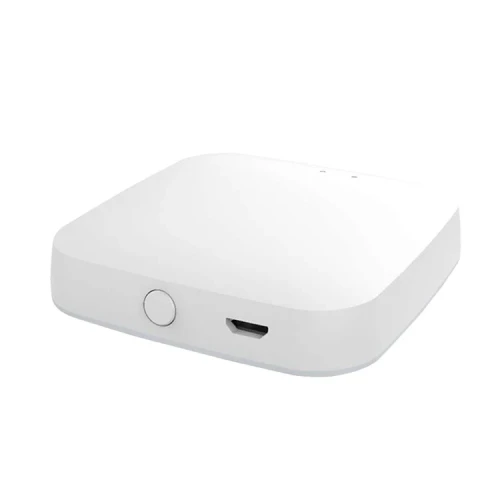


FORGE Zigbee 3.0 and Bluetooth Dual Mode Smart Home Gateway - Tuya
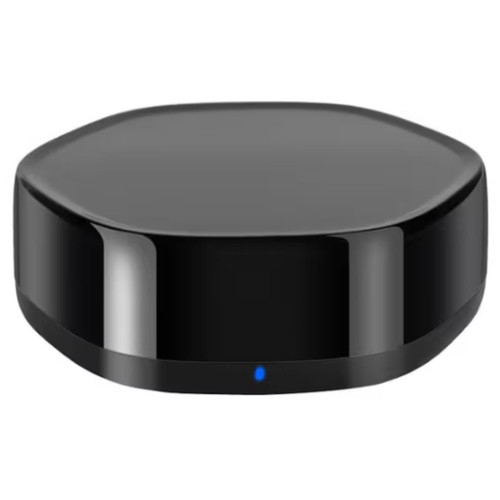
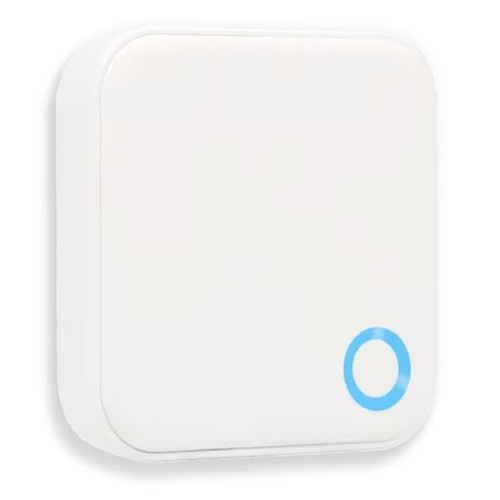
The FORGE Zigbee 3.0 and Bluetooth Dual Mode Smart Home Gateway (FESMBTZGBDGTWYA) is a small white hub that connects the FORGE Tuya Bluetooth smart locks to your home Wi-Fi, so you can unlock, send guest codes and get door alerts from anywhere in the Tuya app. It is the Tuya bridge for every FORGE lock that runs on Tuya or comes in a Tuya version - the Bluetooth models need it for remote use, and the Wi-Fi models take it as an optional hub.
It works in dual mode: Bluetooth talks to the lock and to Bluetooth smart devices, and Zigbee 3.0 runs sensors, switches, plugs and other Zigbee smart home devices - all in the same app. It joins a 2.4 GHz Wi-Fi network and powers from a standard 5 V USB adapter through its Micro USB port. Made in China for FORGE, an Australian brand based in Ringwood, Victoria.

Usually ships in 24 hours.

Owned by FORGE Electrical (Australia) · Manufactured in China. Our independent FORGE brand profile sets out how the range compares with the other brands we stock.
 Key Features
- Remote access for FORGE Tuya Bluetooth locks - unlock, send temporary guest passcodes and get alerts while you are away from home. See the compatible locks.
- Two radios in one hub - Bluetooth for the lock and Bluetooth devices, Zigbee 3.0 for sensors, switches and plugs, so one gateway serves the front door and the rest of the house.
- Smart scenes and alerts - link the lock to other devices in the app, such as a notification on your phone whenever the door is unlocked.
- Easy Wi-Fi set-up - joins your router on its 2.4 GHz band; 5 GHz networks are not supported.
- USB powered - runs from a standard USB power adapter, so it can sit on a shelf or bench near the door.
- One of our modules and Wi-Fi gateways.


 How It Works
A FORGE Tuya Bluetooth lock talks to your phone only when you are close to the door. The gateway sits indoors within Bluetooth range of the lock, joins your Wi-Fi router, and relays commands between the lock and the Tuya app over the internet - so the app works from anywhere, not just at the door.

- Remote unlock - open the door from the app when you are away.
- Guest codes from anywhere - create temporary passcodes for visitors, cleaners or guests remotely.
- Alerts and scenes - get a notification when the door is unlocked, and link the lock to other devices in the app.
- Without it - the lock still works fully at the door with its own codes, fingerprints or cards (depending on the model) and the app over Bluetooth.
The Zigbee side makes the gateway a smart home hub. Zigbee 3.0 devices - door and window sensors, motion sensors, smart plugs, switches and more - pair to it in the Tuya app and form a low-power mesh, with mains-powered devices passing signals along to extend the range. Devices made for the Tuya app pair directly; ask us before relying on it for a Zigbee device made for another brand's hub.
More on gateways in Chapter 08 - what a gateway actually does and what a gateway adds for short stays. The Tuya platform is covered in Chapter 15.
 Compatible Locks
Every FORGE lock that runs on Tuya, or comes in a Tuya version, pairs with this gateway. The Bluetooth locks need it for remote use - it bridges their Bluetooth to your Wi-Fi the way the G5 does for the TTLock locks. The Wi-Fi locks reach the app on their own and take it as an optional hub for the rest of a Tuya setup.


Not for the FORGE TTLock locks - they take the FORGE TTLock G5 gateway. For any other lock, send us the model before ordering.
 FORGE Gateways - Item Code Family
Three FORGE gateways, each for a different job - choose by the app your lock uses and whether you also want appliance control.


 What's in the Box
- FORGE Zigbee 3.0 and Bluetooth gateway x1
The gateway runs from a 5 V 1 A supply through its Micro USB port. If your box has no cable or power adapter, any Micro USB cable and a 5 V USB power adapter rated at 1 A or more will run it.
 FORGE FESMBTZGBDGTWYA - Specifications
 Setup and Placement
- Install the Tuya Smart app, register, and turn on Bluetooth and location on your phone.
- Add your lock to the app first, as its administrator.
- Plug the gateway in indoors, within Bluetooth range of the lock - the closer the better, with as few walls in between as possible.
- After power-on, hold the gateway's button for about 7 seconds until its light flashes, then tap Add Device in the app and enter your 2.4 GHz Wi-Fi details (pairing guide page 1).
- Switch on the lock's wireless function if your model needs it, then select the gateway in the app, choose Add Device and tick the door locks it should control (pairing guide page 2).
- If the lock keeps dropping off, move the gateway closer - gateway placement and the real fixes for Wi-Fi dropouts.
The gateway and lock pairing guide (PDF) shows each step with app screens. Want it set up for you? We offer installation across the Gold Coast.
 Frequently Asked Questions
Only for remote use on a Bluetooth lock. Without it the lock works fully at the door, and the app works over Bluetooth near the lock - what a lock can do without Wi-Fi. The Forge Smart (Tuya) Wi-Fi locks reach the app on their own; for them the gateway is an optional hub.
Yes - the gateway joins 2.4 GHz networks only. Most routers broadcast both bands under one name; if the gateway will not join, see band steering and the most common cause of Wi-Fi trouble.
No - TTLock locks take the FORGE TTLock G5 gateway. This gateway is for the FORGE Tuya locks.
Zigbee 3.0 and Bluetooth smart home devices made for the Tuya app - sensors, plugs, switches, lights and more - so the lock and the rest of the house share one app. Ask us before relying on it for a device made for another brand's hub.
Within Bluetooth range - as close as practical, with few walls in between. Metal doors and frames shorten the range (gateway placement).
 Additional Information
- Plug it in near the lock, not near the router. The Bluetooth link to the lock is the short one; Wi-Fi reaches further.
- Keep it powered. Remote access stops while the gateway is unplugged or offline; the lock keeps working at the door (what happens when the internet goes down).
- One hub for the house. Planning Zigbee sensors, plugs or switches as well? This gateway runs them in the same app as the lock - no second hub needed.
- Want TV and air-con control too? The FORGE Zigbee 3.0 and Bluetooth gateway with IR control adds an infrared remote for TVs and air-conditioners and serves the same FORGE Tuya locks.
 Warranty
2-year FORGE warranty from the date of delivery - covers defects in materials and workmanship under normal use. Excludes improper installation or maintenance, misuse, accident, normal wear and tear (including fading or dulling of finishes) and water damage beyond the product's rated IP protection. Proof of purchase required for all claims. Returns & Warranty | FORGE warranty terms
 Download PDF Resources
Two-page guide - power on the gateway and hold its button for 7 seconds, add it to the Tuya Smart app on 2.4 GHz Wi-Fi, attach your Bluetooth door locks to it, and set up smart scenes.
FORGE Zigbee 3.0 and Bluetooth Dual Mode Smart Home Gateway - FAQ, Setup and Owner's Guide
Everything below is here to help you choose, set up and live with this gateway. For general smart lock questions see our Smart Lock FAQ (Chapter 13), and for how gateways compare, Chapter 08 of our Buyer's Guide.
Choosing the Right Gateway
Every FORGE lock on Tuya. The Bluetooth locks need it for remote use: FORGE K5 Fingerprint Outdoor Smart Key Safe, FORGE H2 Frameless Glass Door Handle Smart Lock, FORGE A7 Automatic Push Pull Smart Lock, FORGE A7X Automatic Push Pull Smart Lock, FORGE A2 Automatic Push Pull Smart Lock, FORGE Smart Handle Mortice Lock, FORGE Smart Lever Lock, FORGE Smart Handle Lock with Deadbolt, FORGE Smart Door Knob and FORGE E15 Smart Handle Lock. The Wi-Fi locks have Wi-Fi built in and take it as an optional hub: FORGE D5 Video Doorbell Smart Deadbolt, FORGE H1 Frameless Glass Door Handle Smart Lock, FORGE A60 Push Pull Smart Lock, FORGE A80 Push Pull Smart Lock, FORGE RD6 Double-Sided Video Doorbell Smart Rim Lock, FORGE H100 Double-Sided IP68 Outdoor Gate Smart Lock, FORGE S1 Slimline Push Pull Smart Lock, FORGE G4 Frameless Glass Door Video Doorbell Smart Lock, FORGE Double-Sided Automatic Smart Rim Lock, FORGE GY04 Double-Sided Smart Deadbolt Rim Lock and FORGE H2 Slimline Aluminium Frame Smart Lock, and the Tuya versions of the FORGE S3 Aluminium Frame Push Pull Smart Lock (Tuya version), FORGE H60 Outdoor Smart Lock (Tuya version), FORGE H1 Double-Sided Gate Smart Lock (Tuya version), FORGE G3 Frameless Glass Door Smart Lock (Tuya version) and FORGE RD1T Outdoor Smart Rim Lock (Tuya version). Item codes are in the Compatible Locks table.
Not for remote access - those locks have Wi-Fi built in and connect to your router directly. For them it is an optional hub: it brings Bluetooth-only FORGE locks and other Zigbee 3.0 or Bluetooth Tuya devices into the same app.
Both have Zigbee 3.0 and Bluetooth and join 2.4 GHz Wi-Fi. The IR model adds an infrared remote that controls TVs, air-conditioners and other appliances. Both serve the same FORGE Tuya locks - choose the IR model when you also want appliance control.
Yes - the app lets you add several door locks to one gateway, as long as each lock is within Bluetooth range of it. Locks at opposite ends of the house may each need their own gateway; ask us if you are planning several.
Setting Up
Power the gateway up, then hold its button for about 7 seconds until the light flashes. In the Tuya Smart app tap Add Device, let the app discover the gateway and enter your 2.4 GHz Wi-Fi details (pairing guide page 1).
Add the lock to the app first. Switch on the lock's wireless function if your model needs it, then select the gateway in the app, choose Add Device and tick the door locks it should control (pairing guide page 2).
It needs a 2.4 GHz network. Many routers merge 2.4 and 5 GHz under one name, which can stop set-up; see band steering and the most common cause of Wi-Fi trouble, and smart locks dropping off Wi-Fi.
Remote Access and Scenes
Unlock the door from the app, create temporary passcodes for guests, and get notified when the door is unlocked. Codes and fingerprints at the door keep working either way (what a gateway actually does).
Yes, with smart scenes in the app - for example a notification when the door is unlocked, or a Zigbee light or plug switching on at the same time (pairing guide page 2 shows the linkage set-up).
Remote functions pause until the connection returns. The lock keeps working at the door with its own codes, fingerprints or cards and the app over Bluetooth (what happens when the internet goes down).
Zigbee and Smart Home Devices
A low-power wireless standard made for smart home devices. Zigbee devices form a mesh - mains-powered devices such as plugs and switches pass signals along to reach further - and version 3.0 brought the older Zigbee profiles under one standard, so devices from different makers can work together. More on how Zigbee differs from Z-Wave.
Devices made for the Tuya app - often sold as Tuya or Smart Life compatible - pair directly. A Zigbee device made for another brand's hub may pair with only basic functions, or not at all. Send us the model and we will check before you buy.
Platform and Data
Tuya - the gateway and the FORGE Tuya Bluetooth locks it serves are set up in the Tuya Smart app, with the gateway on your 2.4 GHz Wi-Fi for remote access. At the door the lock works without the internet. Tuya is a Chinese company headquartered in Hangzhou with regional data centres. Tuya provisions Australian accounts to its Central Europe data centre, and there is no Australian data centre. For the platform-by-platform picture see where each smart lock platform hosts its data, and for how Tuya compares with TTLock data sovereignty in our TTLock vs Tuya comparison.
Related Products, Guides and Chapters
Gateways: FORGE Zigbee 3.0 and Bluetooth Smart Home Gateway with IR Control · FORGE TTLock G5 Gateway · all modules and Wi-Fi gateways
Locks it serves: FORGE K5 Fingerprint Outdoor Smart Key Safe · FORGE H2 Frameless Glass Door Handle Smart Lock · FORGE A7 Automatic Push Pull Smart Lock · FORGE A7X Automatic Push Pull Smart Lock · FORGE A2 Automatic Push Pull Smart Lock · FORGE Smart Handle Mortice Lock · FORGE Smart Lever Lock · FORGE Smart Handle Lock with Deadbolt · FORGE Smart Door Knob · FORGE E15 Smart Handle Lock · FORGE D5 Video Doorbell Smart Deadbolt · FORGE H1 Frameless Glass Door Handle Smart Lock · FORGE A60 Push Pull Smart Lock · FORGE A80 Push Pull Smart Lock · FORGE RD6 Double-Sided Video Doorbell Smart Rim Lock · FORGE H100 Double-Sided IP68 Outdoor Gate Smart Lock · FORGE S1 Slimline Push Pull Smart Lock · FORGE G4 Frameless Glass Door Video Doorbell Smart Lock · FORGE Double-Sided Automatic Smart Rim Lock · FORGE GY04 Double-Sided Smart Deadbolt Rim Lock · FORGE H2 Slimline Aluminium Frame Smart Lock · FORGE S3 Aluminium Frame Push Pull Smart Lock (Tuya version) · FORGE H60 Outdoor Smart Lock (Tuya version) · FORGE H1 Double-Sided Gate Smart Lock (Tuya version) · FORGE G3 Frameless Glass Door Smart Lock (Tuya version) · FORGE RD1T Outdoor Smart Rim Lock (Tuya version)
Guides and chapters: Chapter 08 - what a gateway does · other gateway systems · Chapter 15 - Tuya · Chapter 10 - FORGE brand profile · what is Tuya? · what a gateway adds for short stays · fixing Wi-Fi dropouts · Chapter 13 - Wi-Fi and connectivity
PDF Files - FORGE Zigbee 3.0 and Bluetooth Gateway (FESMBTZGBDGTWYA)
Two-page guide - power on the gateway and hold its button for 7 seconds, add it to the Tuya Smart app on 2.4 GHz Wi-Fi, attach your Bluetooth door locks to it, and set up smart scenes.
FORGE Warranty
FORGE Electrical products sold by Terry's Tradies Pty Ltd and its associated websites, trading names, and subsidiaries are covered by FORGE's 2-year warranty against defects. All warranty claims are lodged with us, and we liaise with FORGE on your behalf.
Warranty Summary
How to Make a Claim
- Notify us in writing within the 2-year warranty period, including your proof of purchase and a description of the fault.
- We will assess your claim with FORGE and advise the next steps. The product may need to be returned for assessment.
- Where the defect is covered, FORGE will repair or replace the product or faulty part at no charge.
 Exclusions
The FORGE warranty does not cover:
- Improper installation, maintenance or operation, including not following FORGE's product specifications or instructions
- Normal wear and tear
- Misuse, abuse, negligence or accident
- Modification by anyone other than FORGE Electrical
- External causes such as natural disasters
- Damage from excessive rain, water ingress, flooding or other liquid exposure beyond the product's rated IP protection level
- Cosmetic ageing of outdoor finishes - light colour fading, surface dulling or minor oxidation from UV exposure, humidity and temperature changes
IP ratings on FORGE outdoor locks are intended for general outdoor conditions - rain, sun and dust. They do not guarantee performance under extreme exposure such as driving rain, hailstorms, constant salt spray, flooding or immersion.
Important Notes
In unusually harsh or exposed locations, FORGE strongly recommends fitting a rain cover or protective hood over the lock to shield it from direct weather and driving rain. If your product has been exposed to water, contact us for support.
Our goods come with guarantees that cannot be excluded under the Australian Consumer Law. You are entitled to a replacement or refund for a major failure and compensation for any other reasonably foreseeable loss or damage. You are also entitled to have the goods repaired or replaced if the goods fail to be of acceptable quality and the failure does not amount to a major failure.
The FORGE warranty is in addition to these rights.

Confused? Overwhelmed? We get it.
Choosing the right smart lock can be genuinely tricky - door types, backsets, app platforms, compatibility with your existing hardware... there is a lot to consider. We have decades of experience fitting locks of all types, including smart locks, and we are happy to help.
Our expert recommendation service is free. Upload a few photos of your door and describe what you need, and one of our qualified locksmiths will give you a personalised recommendation.
Get Your Free Recommendation →How it works - three easy steps:
1. Upload photos
A few clear shots of your door, lock and frame - inside and out.
2. We assess
Our locksmith reviews your setup and requirements - door type, weather exposure, how you want to use it.
3. You get a recommendation
A personalised recommendation tailored to your door, budget and needs. No pressure, no upsell.
Also useful while you are deciding: