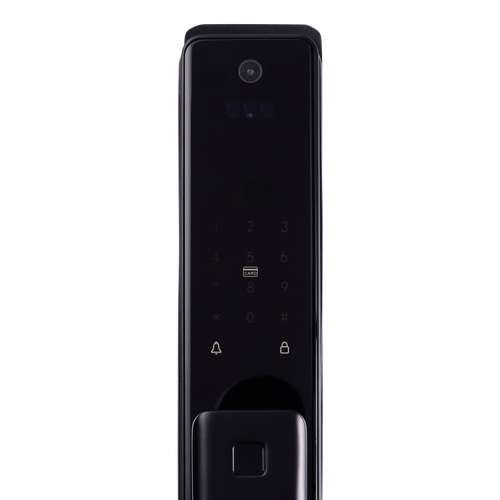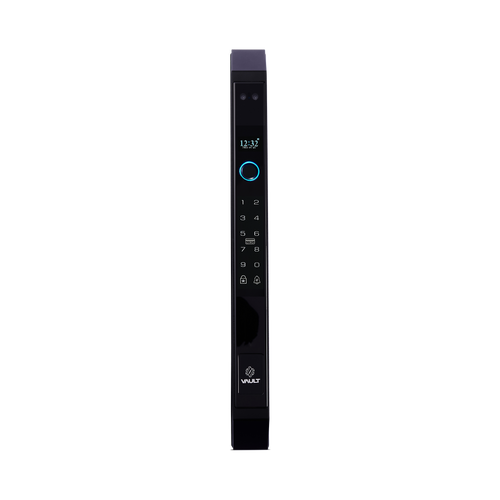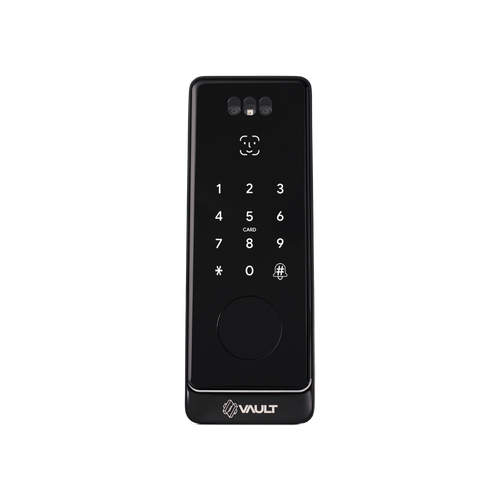


Vault Nexus Push Pull Smart Deadbolt with 3D Face Recognition
 At A Glance
At A Glance
 DISPATCH3 Business Days


 Face
Face
 Fingerprint
 PIN Code
 RFID Card
 App
App
 Key
Key
 Wi-Fi Via G5
The Vault Nexus (Vault_Nexus) is a smart deadbolt for front doors where a compact push pull body is preferred over a full mortice lock. It pairs 3D facial recognition with fingerprint, PIN code, RFID card, Bluetooth and app access in a bored deadbolt preparation rather than a mortice pocket.
Optional remote access comes via the Vault G5 Wi-Fi Gateway, and a mechanical key covers every power condition. With a recommended side clearance of just 35mm, the Nexus is the slimmest-clearance model in the Vault push-pull family. A video-intercom variant, the Nexus Vision, adds a fish-eye camera and app-based video intercom.
Estimated warehouse dispatch is 3 business days.
 Key Features
- Smart deadbolt with an integrated push pull body design - fits a bored deadbolt preparation, not a mortice pocket.
- 3D facial recognition plus fingerprint, PIN code, RFID card, Bluetooth and app control.
- Optional remote access and smart-home integration via the Vault G5 Wi-Fi Gateway.
- Mechanical key backup included - two keys supplied per the manual.
- IP66 weather-rated external module; the internal module is interior-use only.
- Recommended side clearance of 35mm - the tightest in the Vault push-pull family.
- Suits aluminium and timber doors 35mm to 60mm thick.
Facial Recognition Access
The Nexus supports 3D structured-light facial recognition for fast, touch-free unlocking. 3D recognition reads facial depth rather than a flat image - see Chapter 06 - 2D vs 3D facial recognition for the difference. Vault does not publish a face-profile figure for this model; enrolment is managed in the app.
Face recognition works alongside fingerprint, PIN, RFID card, Bluetooth app control and backup key access - compare them in Chapter 03 - Access Methods, or browse every face-recognition smart lock we stock.
User capacity and performance depend on the model-specific hardware and setup.

The external (outside) module is IP66 weather rated for outdoor exposure - strong protection against dust and powerful water jets. The internal module, which houses the battery compartment, is for interior use only and is not weather rated. See Chapter 11 - IP ratings for what the figures mean.
Access Methods
The Nexus offers six ways in, plus optional Wi-Fi remote access. For a plain-English comparison of what each method does well, see Chapter 03 - Access Methods.
 Palm Recognition
 What's in the Box

The Nexus takes 4 x AA batteries (6V), which are not included - fit a fresh set of quality alkalines at installation.
 Deadbolt Preparation
The Nexus uses a deadbolt mechanism in a bored door preparation - mechanically different from Vault's mortice-lock models, and the natural pick when you are replacing an existing deadbolt. For how the two formats differ, see Chapter 01 - mortice deadbolts.
Confirm your door's existing bore and thickness (35mm to 60mm) before ordering - the most common DIY mistakes are all preparation mistakes. If your door needs a mortice-format lock instead, see the Vault Quantum, Olympus or Titan.
 Battery, Power & Backup Access
The Nexus is powered by 4 x AA batteries (6V; not included, per the manual). A low-voltage alarm warns you once the supply drops below 7.2V, so you can change the batteries before the lock stops responding.
A mechanical key backup remains available in every power condition. For charge and maintenance expectations, see our guide to smart lock battery life, and confirm battery condition and backup-key operation as part of setup.
 Suitable Uses
- Residential front and entry doors - one side facing the weather
- Entry doors where a smart deadbolt is preferred over a mortice lock
- Narrow frames and doors with limited side clearance (35mm recommended)
- Homes wanting compact, multi-credential biometric access
 Available Finish Options
 Black
Black
(This Product)
STK Vault_Nexus
Finish selection does not affect functionality, compliance, or performance.
 Vault Push-Pull Face-Recognition Range
Confirm the exact specification of each model on its own product page. For the full lineup, manuals and background, see the Vault Smart Lock Range guide and the Vault brand profile.
 Dimensions

 Full Specifications

 Wi-Fi Remote Access (Optional)
The Nexus is controlled over Bluetooth from the Vault Smart Locks app as standard, available for iOS and Android . Bluetooth control works when you are near the door and needs no internet connection.
Adding the optional Vault G5 Gateway bridges the lock to your home Wi-Fi so you can unlock remotely, issue and revoke passcodes from anywhere, review unlock records, and add supported Alexa and Google Home voice control - see what the G5 adds. The dual-band G5 avoids the band-steering problem that affects single-band gateways; for how a gateway works and whether you need one, see Chapter 08 - what a gateway does or the blog on whether you need a gateway at all.
Browse the wider range of modules and Wi-Fi gateways or Terry's full WiFi smart lock selection.
Mechanical Key Backup
The Nexus includes a mechanical key override, so entry remains available if the battery is depleted or electronic access cannot be used. Two keys are supplied (per the manual).
Keep a spare key somewhere off-site rather than inside the door it opens. For where the keyhole is hidden and what to do when the battery goes flat, see where the keyhole is and what to do when the battery dies. More locks with a physical fallback are in the Has Backup Key category.
 Frequently Asked Questions
A deadbolt. It fits a bored deadbolt preparation rather than a mortice pocket, which makes it mechanically different from Vault's mortice models - see Chapter 01 - mortice deadbolts for the difference.
3D. The Nexus uses 3D structured-light recognition, which reads facial depth rather than a flat image. See 2D vs 3D facial recognition. Vault does not publish a face-profile figure for this model.
Yes, when paired with the Vault G5 Wi-Fi Gateway. Without the gateway it works locally over Bluetooth, face, fingerprint, PIN, RFID and mechanical key. See what a gateway does.

No. Vault smart locks are not certified for fire-rated doors. For Queensland fire-door compliance requirements, see Chapter 05 of the Buyers Guide.

Yes. The Vault Nexus Vision adds a fish-eye camera and a two-way, app-based video intercom with built-in 2.4GHz Wi-Fi (no separate gateway needed), in the same deadbolt format.
 Additional Information
The Nexus is best suited to applications where a deadbolt-style smart lock is preferred over a full mortice-lock system - and its 35mm recommended clearance makes it the pick for narrow frames. See where each Vault model sits in the Vault brand profile.

Deploying facial recognition in a commercial, strata or managed rental setting may trigger obligations under the Australian Privacy Act. Review these requirements before installation.

Deadbolt fitment depends on the existing bore and latch preparation, so check compatibility before ordering - see our guide to common preparation mistakes and Chapter 02 - Measuring Your Door.

The IP66 rating applies to the external module only, and salt air accelerates wear on all electronic hardware regardless of IP figures - see our notes on coastal Queensland environments and lock lifespan near the coast.

Vault's warranty policy includes a refundable assessment holding fee of $200 (metro) or $250 (elsewhere) when a returned lock is booked in for assessment - see the Vault warranty policy for how it works, and talk to us first so your claim starts in the right lane.
 Warranty
Vault Smart Locks products purchased in Australia are covered against defects in materials and workmanship under normal residential or commercial use for:
- Standard range: 12 months from the date of purchase
- Select Signature Range models: 24 months (as stated on the product listing or packaging)
Returns & Warranty|View Vault Warranty Policy
This warranty operates in addition to your rights under the Australian Consumer Law.
 Download PDF Resources
The 13-page Nexus manual - the itemised box list, specifications, system initialisation, the six-step installation sequence and the Vault app operation chapters (passcodes, eKeys, cards, fingerprints and gateway management).
The guide to the optional G5 Wi-Fi gateway - app registration, connecting a lock, and the gateway's role in remote access and record keeping.
Vault Nexus Push Pull Smart Deadbolt with 3D Face Recognition - FAQ, Setup and Owner's Guide
The deeper questions we get asked about the Nexus, answered in one place. For the basics across every brand, start with Chapter 03 - Smart Lock Access Methods and the Vault Smart Lock Range guide.
Access and Credentials
200 fingerprints, 150 PIN codes and 200 RFID cards or fobs. Vault does not publish a face-profile figure for this model - face enrolment is managed in the app. Every credential is added, renamed and removed from the Vault Smart Locks app, so you can run the whole household or a small team from one screen. For what each credential type does well, see Chapter 03 - Access Methods compared.
Yes. The app issues permanent, timed and one-time PIN codes. Standing next to the door, Bluetooth is all you need; to send or cancel a code from somewhere else you need the optional Vault G5 Gateway - see whether you need a gateway at all.
The Nexus reads the Vault RFID cards and fobs supplied with the lock, with capacity for up to 200. Browse other card and fob smart locks if RFID is your main credential.
Face Recognition
It uses 3D structured-light recognition, which reads the depth of a face rather than a flat image - a printed photo does not have depth, so it does not read as a face. For the plain-English difference between camera types, see Chapter 06 - 2D vs 3D facial recognition, and for how liveness detection works across face-recognition locks, the liveness detection section.
3D structured-light systems project their own pattern rather than relying on ambient light, so they are not dependent on daylight the way a plain camera is. Enrol faces carefully at the installed height and keep a PIN or fingerprint as the everyday backup - see Chapter 06 for realistic expectations.
Deploying facial recognition in a commercial, strata or managed rental setting may trigger obligations under the Australian Privacy Act - review the Privacy Act notes in Chapter 06 before installation. For homes there is no such hurdle. Other face-capable models are in the Palm or Face Recognition category.
Yes - the Vault Nexus Vision adds a fish-eye camera and a two-way, app-based video intercom with built-in 2.4GHz Wi-Fi (no separate gateway needed), in the same deadbolt format.
Deadbolt Fit and Door Preparation
A bored deadbolt preparation rather than a mortice pocket - the bolt unit fits the door edge and the push-pull panels bolt through the leaf. Confirm the existing bore position and door thickness (35mm to 60mm) before ordering; for how a deadbolt differs from a mortice format, see Chapter 01 - mortice deadbolts.

It suits aluminium and timber hinged doors 35mm to 60mm thick, with a recommended side clearance of just 35mm. Sending door photos before purchase is the cheapest insurance there is - see when DIY makes sense.
Often, yes - that is the natural retrofit case for it. Compatibility depends on the existing bore and latch preparation, so check it before ordering with our guide to common preparation mistakes, or use Terry's site survey service on the Gold Coast.
No. Vault smart locks are not certified for fire-rated doors. For where fire-door compliance applies in Queensland, see Chapter 05 - Fire Door Smart Locks.
Power and Batteries
Four AA batteries (6V), which are not included - fit a fresh set of quality alkalines at installation. For charge and maintenance expectations across electronic locks, see the realities of electronic door locks.
A low-voltage alarm warns you once the supply drops below 7.2V, well before the lock stops responding - change the batteries when you hear it rather than waiting. The mechanical key covers you in every power condition.
Use the mechanical override key. Two mechanical keys are supplied (per the manual), and the key works in every power condition. See what to do when the battery dies and where the keyhole is hidden.
Remote Access and the Vault App
No. It runs on Bluetooth as standard - every credential works at the door with no internet at all. Wi-Fi only enters the picture if you add the optional Vault G5 Gateway for remote features. See what a gateway does and does not add.
Remote lock and unlock, remote passcode creation and deletion, unlock-record viewing and supported Alexa and Google Home voice control - the lock talks Bluetooth to the G5, and the G5 talks to your router. The full list is on the G5 Gateway page, with the range comparison in Chapter 08.
Smart lock gateways use the 2.4GHz band, and routers that auto-merge 2.4GHz and 5GHz cause most dropouts. The dual-band G5 avoids the worst of the band-steering problem; if you have had dropouts before, read why smart locks drop off Wi-Fi before setup.

The Vault Smart Locks app, available for iOS and Android
. One app manages every Vault lock in the house plus the G5 Gateway. Vault runs its own app platform - do not follow TTLock or Tuya setup guides for this lock.Weather and Coastal Exposure
The external (outside) module is IP66 weather rated - strong protection against dust and powerful water jets, on the outside module only. The internal module houses the battery and electronics and is for interior use only. For what IP figures actually mean, see Chapter 11 - IP ratings.
Salt air accelerates wear on every electronic lock, whatever its IP rating - rinse-free coastal care and realistic lifespan expectations are covered in coastal environments and how long digital locks last near the coast. A covered entry makes a real difference.
Installation and Setup

A confident DIYer with the right door preparation can, but most fit problems trace back to measuring - see when DIY makes sense and the common installation mistakes. On the Gold Coast, Terry's offers a site survey and installation service - or start with our advice and installation page.
Door thickness first - the Nexus suits doors 35mm to 60mm thick - then the existing bore and edge preparation, and side clearance (the drawing recommends 35mm, the tightest in the Vault push-pull family, which is what makes the Nexus the pick for narrow frames). Start with Chapter 02 - door thickness.
Handle direction is set in the Vault Smart Locks app after the lock is added (per the manual) - there is no mechanical reconfiguration to do at the door.
Warranty and Support
Vault covers the standard range for 12 months from purchase, with select Signature Range models carrying 24 months where stated on the listing or packaging - the full terms are in the Warranty section above and the Vault warranty policy.
Yes - Vault's warranty policy includes a refundable assessment holding fee of $200 (metro) or $250 (elsewhere) when a returned lock is booked in for assessment. The fee and how it is refunded are set out in the Vault warranty policy; talk to us first and we will point your claim in the right direction.

Contact Terry's first - we sold it, and we will manage the claim path with Vault on your behalf. Start at Returns and Warranty.
Related products, guides and chapters
Vault range: Vault Fortress - Vault Quantum - Vault Olympus - Vault Titan - Vault Zenith - Nexus Vision (video intercom) - Guardian Vision - Fortress Vision
Mortices and accessories: Vault G5 Gateway - Vault 6068 Mortice - Vault Hinged/Swinging Mortice - Vault Innovative Mortice - Vault Rebate Kit
Buyer's Guide chapters: Ch 01 - What Is a Smart Lock (mortice deadbolts) - Ch 02 - Measuring Your Door - Ch 03 - Access Methods - Ch 05 - Fire Door Smart Locks - Ch 06 - Facial Recognition - Ch 08 - Gateway Comparison - Ch 10 - Vault Brand Profile - Ch 11 - Australian Standards and IP Ratings - Ch 12 - Installation and Troubleshooting
Blogs: Introducing the Vault Smart Lock Range - Mechanical Key Override on Smart Locks - The Realities of Electronic Door Locks - G2, G3, G4 and G5 Gateways Compared - Why Smart Locks Drop Off Wi-Fi - Site Survey and Installation Services
Browse by category: Palm or Face Recognition - Fingerprint - PIN Code - Fob, Card and RFID - Bluetooth - Has Backup Key - Regular Front Door - Vertical Push/Pull Handle - Mortice Locks for Smart Locks - Modules and Wi-Fi Gateways
What's in the Box - Vault Nexus
The Nexus takes 4 x AA batteries (6V), which are not included. The optional Vault G5 Gateway is sold separately and is required only for remote access and voice control.
Vault Nexus - Dimensions
Vault Nexus - Product Brochure (User Manual)
The pages below are the Vault Nexus user manual. For the video-intercom variant, see the Vault Nexus Vision.


PDF Files - Vault Nexus Push Pull Smart Deadbolt with 3D Face Recognition
The 13-page Nexus manual - the itemised box list, specifications, system initialisation, the six-step installation sequence and the Vault app operation chapters (passcodes, eKeys, cards, fingerprints and gateway management).
The guide to the optional G5 Wi-Fi gateway - app registration, connecting a lock, and the gateway's role in remote access and record keeping.
Vault Warranty
Vault Smart Locks products are backed by a manufacturer's warranty against defects in materials and workmanship under normal residential or commercial use. All claims are handled locally by Terry's Tradies Pty Ltd and its associated websites, trading names, and subsidiaries - start with us and we'll manage the process with Vault on your behalf.
Warranty Summary
How to Make a Claim
- Contact Terry's Gold Coast Smart Locks through the Returns & Warranty page above, with your proof of purchase (invoice or receipt).
- Have your product model and serial number (if applicable) ready, along with a brief description of the fault and your installation address.
- We assess your claim with Vault and advise the outcome and next steps. You may be asked to return the product for inspection.
 What This Warranty Does Not Cover
- Normal wear and tear.
- Cosmetic damage that does not affect performance.
- Damage caused by incorrect installation, misuse, neglect, modification, or accident.
- Damage due to improper handling, or installation by an unlicensed technician.
- Products that have been disassembled, tampered with, or where the security seal or warranty label has been removed.
- Battery leakage or failure, or damage caused by incorrect battery usage.
- Environmental or weather damage caused by use outside recommended operating conditions.
- Labour, installation, or removal costs associated with replacing or reinstalling products.
- Work performed before warranty approval or assessment.
Important Notes
Where a Vault product carries an Ingress Protection (IP) rating, that rating is stated on the individual product listing, packaging or technical documentation. Unless stated otherwise in writing, the IP rating applies only to the external-facing side of the lock - not to the internal assembly, handle, battery compartment, electronics, cables or connectors. The internal side must be installed in a dry, sheltered position. An IP rating describes water resistance, not waterproofing: the lock must not be submerged, pressure washed, or exposed beyond its stated rating, and all seals, gaskets and covers must be correctly fitted and undamaged.
Vault's manufacturer policy applies a warranty assessment holding fee, which is refundable if the fault is found to be covered under warranty. If a product is assessed as outside warranty or damaged by an excluded cause, a discounted replacement may be offered. We will confirm any applicable fees and options with you before any assessment proceeds.
This warranty is provided in addition to your rights under the Australian Consumer Law (ACL). Our goods come with guarantees that cannot be excluded under the ACL. You are entitled to a replacement or refund for a major failure, and to have goods repaired or replaced if they fail to be of acceptable quality and the failure does not amount to a major failure.

Confused? Overwhelmed? We get it.
Choosing the right smart lock can be genuinely tricky - door types, backsets, app platforms, compatibility with your existing hardware... there is a lot to consider. We have decades of experience fitting locks of all types, including smart locks, and we are happy to help.
Our expert recommendation service is free. Upload a few photos of your door and describe what you need, and one of our qualified locksmiths will give you a personalised recommendation.
Get Your Free Recommendation →How it works - three easy steps:
1. Upload photos
A few clear shots of your door, lock and frame - inside and out.
2. We assess
Our locksmith reviews your setup and requirements - door type, weather exposure, how you want to use it.
3. You get a recommendation
A personalised recommendation tailored to your door, budget and needs. No pressure, no upsell.
Also useful while you are deciding: