

McGrath Bowen Fingerprint Smart Lock - Low-Projection Lever, 60/70mm Latch
At A Glance
 At A Glance
 DISPATCHSame Day Before 11am

 Fingerprint
 PIN Code
 RFID Card / Fob
 McGrath Locks App
 Mechanical Key
 Remote via Gateway
 Face / Palm
Not Available
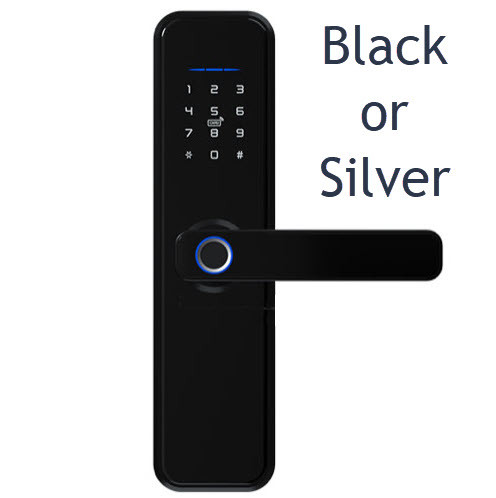
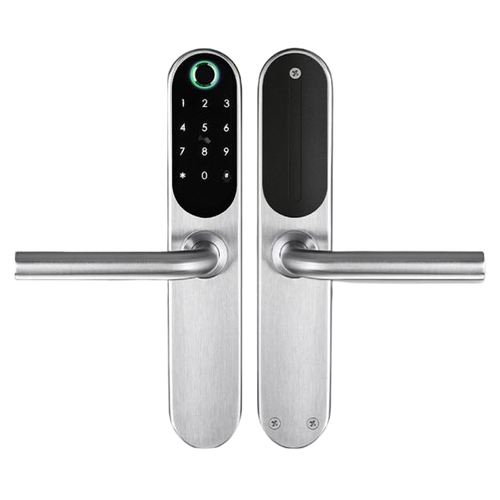
The McGrath Bowen (MLBOW) is a fingerprint smart lever lock from the McGrath Locks range, designed in Australia for Australian homes and built around one feature: a 54.5mm low-projection exterior lever. It is made to sit behind a security screen door, where a standard smart lock lever can foul the screen door's own lock and handle. It gives you five ways in on one platform - fingerprint, a keypad PIN code, an RFID card or fob, a Bluetooth eKey in the McGrath Locks App and a mechanical key override - with optional remote access through a McGrath gateway.
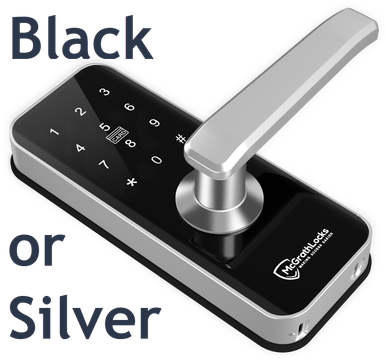
The Bowen is supplied with a 60/70mm adjustable tubular latch and a door sensor, and suits timber and aluminium doors 35 to 60mm thick. Before you order, check your backset, your door thickness and, above all, the clearance in front of the door if a screen door closes over it. The Bowen is designed to retrofit into a common residential footprint; the lock case is 226 x 73 x 24mm. This is a shared listing in Matt Black and Satin Nickel - choose the finish at checkout.
It runs on the McGrath-branded TTLock platform - read what TTLock is and why the McGrath build of it is supported locally - and carries a 24-month warranty. The Bowen is not fire rated: for a fire door with a fingerprint reader, look at the McGrath Hamilton.
Usually ships same day if ordered before 11am AEST (excludes weekends and Queensland public holidays).

The side drawing of the exterior lever shows it standing 54.5mm off the door face at its furthest point, with the underside of the lever 43.5mm out (full drawing under Dimensions). That short reach is what lets the Bowen sit behind many hinged security screen doors, where a standard smart lock lever would strike the screen door's lock body, handle or frame. Every screen door is hung differently, so measure before you buy: close the screen door and measure from the face of the main door to the back of the screen door's lock and handle at lever height. The Bowen's lever needs at least 54.5mm of clear space there, plus a little more for your fingers around it. Chapter 02 shows how to measure screen door clearance, our blog covers how to measure the gap and the mistake that catches most buyers, and Chapter 04 explains how screen doors change the choice. Want the screen door itself to be smart as well? The McGrath ULTRA-SECUA is a smart lock for hinged aluminium security screen doors on the same McGrath Locks App - browse every security screen door smart lock.
Access Methods
Five ways to open the Bowen, plus optional remote access. Every credential can be managed in the McGrath Locks App - see how the access methods compare and browse all fingerprint, PIN code, fob and card, Bluetooth and backup-key smart locks we stock.
 Palm Recognition

We strongly recommend setting the lock up in the McGrath Locks App

 (iOS and Android) - it is the quicker way to configure settings, manage users and control the lock. You can still program the Bowen at the keypad, as the Bowen User and Installation Guide (PDF) shows: the administrator code, user PIN codes, RFID cards and fingerprints can all be added without a phone, and as long as you know the administrator code you can add the lock to the app later. If a freshly fitted Bowen will not lock, check three things: make sure it is not in demo mode, not in passage mode, and that the triangle on the latch hub selector is aligned as the installation guide shows - the same three things behind most smart lock will not lock DIY calls. New to the platform? Start with the TTLock Platform Guide, our tips on adding and transferring a lock and the TTLock App User Manual.
 Key Features
- 5-in-1 access - fingerprint, PIN code, RFID card or fob, Bluetooth eKey and mechanical key override on one authentication stack, plus Wi-Fi remote access through an optional gateway.
- Low-projection exterior lever - 54.5mm from the door face, so the Bowen can sit behind many hinged security screen doors. Measure your gap first.
- Fingerprint reader and tempered glass keypad - the fingerprint reader sits at the base of the exterior lever and the card reader sits behind the glass keypad, on an aluminium alloy body.
- Lever lock on a tubular latch - the supplied tubular latch adjusts between 60 and 70mm backset and has an 8mm hub, to suit a standard bored Australian door.
- Bluetooth operation without internet - Bluetooth 5.0 BLE to the McGrath Locks App when your phone is in range, so the lock keeps working with no Wi-Fi at all.
- Optional remote access - pair a McGrath G3, G4 or G5 gateway to open the door, change or delete codes and issue cards from anywhere - browse the Wi-Fi capable and app-enabled ranges.
- Flexible credentials - PIN codes can be permanent, timed, one-time, custom or recurring; RFID credentials permanent, timed or recurring; eKeys timed, permanent, one-time or recurring. A cyclic passcode for the weekly cleaner is a two-minute job.
- Privacy switch - on the interior unit; when it is on, only an administrator credential or the key opens the door from outside (how it works).
- Door sensor supplied - optional door position monitoring with an adjustable door-open alarm (details).
- Anti-peep PIN scrambling - type random digits before or after your real code and the door still opens, so anyone watching cannot tell which digits mattered.
- Incorrect-attempt lockout - the keypad locks out after repeated wrong attempts.
- Passage mode - present a valid credential, then press 123# within five seconds and the door stays unlocked; unlock again with a valid credential to end it. If you start passage mode in the app, end it in the app. Read when passage mode is useful and why it is never used on a fire door.
- Activity records in the app - every unlock is logged against the credential that opened the door, a genuine audit trail. Records sync when a phone is in Bluetooth range, or live through a gateway.
- Voice prompts you can switch off - the keypad talks you through programming; turn the voice on or off at the keypad (*30#, administrator code, then 1# or 0#).
- Field-reversible handing - remove one screw, rotate the lever 180 degrees and refit, on both units, for a left- or right-hand door; see field-reversible vs fixed handing.
- Key override and USB-C emergency power - two keys in a rekeyable cylinder, and a USB-C port on the underside of the exterior unit takes a power bank if the batteries are ever left to run flat (where the keyhole hides).
- Tested to 1,000,000 cycles - see what cycle ratings mean; full figures in the Bowen Technical Datasheet (PDF).
- Australian design, locally supported - Australian Registered Design No. 202514648; the McGrath Locks App is the McGrath-branded build of TTLock, managed and supported in Australia. See the McGrath brand profile and the supply chain behind every McGrath installation.

The interior unit carries a privacy switch (item G on the interior diagram, under Installation Overview). With privacy mode on, everyday user codes, cards, fingerprints and eKeys stop working from outside - only an administrator credential or the mechanical key will open the door until the switch is turned off again. It is handy at night, or when you are home and do not want a tradesperson's or guest's code to open the door. The other side of it: if you let the property, a guest who switches privacy on can lock out your cleaner's code. Read what an inside privacy lock does, the short-stay risk and how the administrator still gets in.

The Bowen comes with a door sensor that fits into the door (the installation template marks a 19mm hole in the door edge, above the latch) and plugs into the exterior assembly. It gives you optional door position monitoring: once fitted, the lock sounds an alarm when the door is left open, after a delay you set at the keypad from 0 to 60 seconds (*40#, administrator code, then the number of seconds and #). Setting 0 turns the door-open alarm off. Fitting the sensor is a small extra step during installation - the installation guide (PDF) covers it at step 5.

The exterior lock housing is IP66 rated: dust tight and protected against showers and powerful water jets. The interior unit holds the batteries and electronics and is for indoor use only. That suits a regular front door with one side facing the weather; for a fully exposed pedestrian gate look at the McGrath Ascot and the exposed-gate category. Direct sun matters as much as rain - read how heat shortens a lock life.

Both finishes are salt spray tested: Matt Black lasted 300 hours and Satin Nickel 96 hours. These are laboratory results - the lock is held in a cabinet of continuous salt fog and the hours are how long the finish went before corrosion showed - not a warranty for coastal service. On beachfront and canal-front Gold Coast homes the difference is worth knowing, and Matt Black is the finish we recommend within a few streets of the surf. Neither figure makes the lock marine grade. Read why coastal Queensland is hard on locks and what actually corrodes first.
 What's in the Box
- Exterior lock assembly - glass keypad with card reader, fingerprint reader, lever, key override cylinder and USB-C emergency power port
- Interior lock assembly - battery compartment, privacy switch, reset button and lever
- 60/70mm adjustable backset tubular latch with strike plate and screws
- Door sensor with its connecting cable
- Spindle
- 4 x fixing screws and 4 x screw studs
- Rubber screw plugs
- 2 x mechanical override keys
- 2 x RFID fobs (13.56MHz)
- Screwdriver
- Bowen User Guide
- Installation template
Note: 4 x AA alkaline batteries are not included. The gateways, extra credentials and key safe listed under Accessories and Spares are sold separately. The box contents are pictured in the What's In The Box tab.
 Suitable Uses
- Front doors behind a hinged security screen door - the job the Bowen was designed for. Measure the gap first (how) and see screen door considerations in Chapter 04.
- Regular residential front doors - timber or aluminium, 35 - 60mm thick, on a standard 60 or 70mm backset; confirm with the door type compatibility matrix and identify what is on the door now.
- Retrofits over an existing lever or knob set - the Bowen is designed to retrofit into a common residential footprint, but compare your old hardware's footprint with the 226 x 73mm case before you buy (when you need a scar plate).
- Family homes - a fingerprint is quicker for children and older relatives than remembering a code, and the activity log shows who came home when.
- Holiday lets and short-stay rentals where guests get a timed PIN and the host manages access through a gateway - see what changes with a gateway, and set house rules for the privacy switch.
- Internal office, studio and store-room doors where staff use PIN codes or fobs and the manager holds the app.
- Not a fire-door lock - on an apartment entry or any tagged fire door specify the Hamilton (fingerprint) or Windsor instead and read how to identify a fire door; all options are in the fire door category.
- Not for a fully exposed pedestrian gate - the IP66 rating covers the outside unit only; that is the Ascot's job.
 Available Finish Options
 Matt Black
STK MLBOWBKT6070 Satin Nickel
STK MLBOWSNT6070
Finish selection does not affect functionality or performance. Both finishes are supplied under the one listing - select Matt Black or Satin Nickel at checkout. The salt spray hours differ by finish (see Salt Spray Tested above), and the latch faceplate matches the finish.
 McGrath Lever-Handle Smart Locks - Where the Bowen Sits
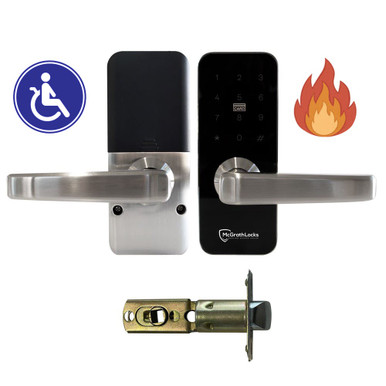
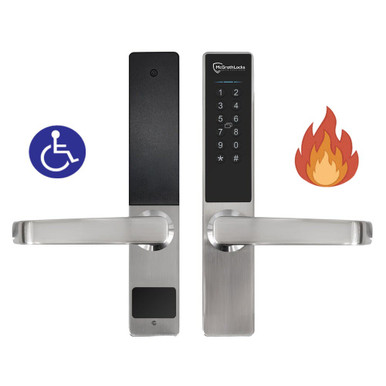
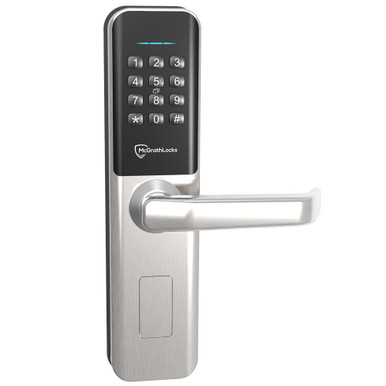
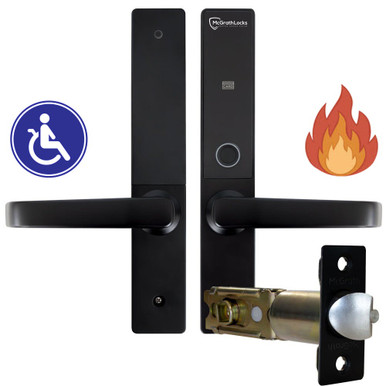
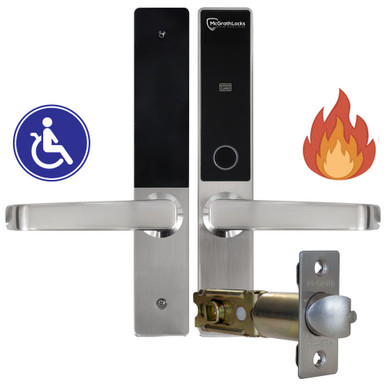
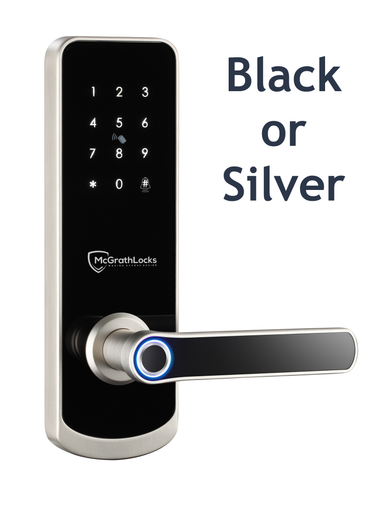
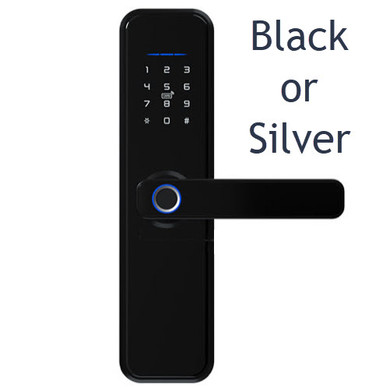
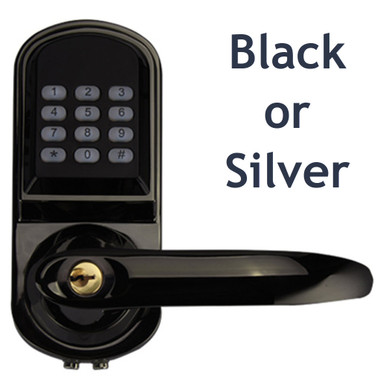
The Bowen joins the McGrath lever-handle smart locks on the 60/70mm latch platform, and it is the one built around a low-projection lever for screen door entries. The others differ in fire assessment, keypad style, fingerprint and whether DDA levers come in the box - the McGrath brand profile explains the range. For a smart deadbolt with the same glass keypad and fingerprint styling on the same app, see the McGrath Kedron.
 Accessories and Spares
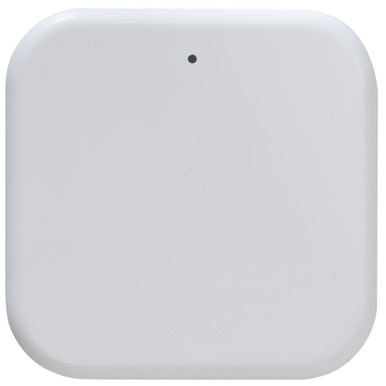
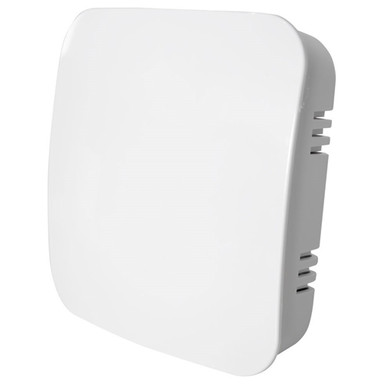
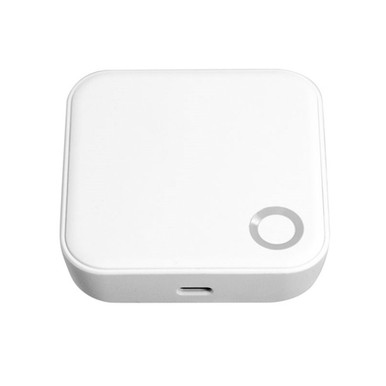
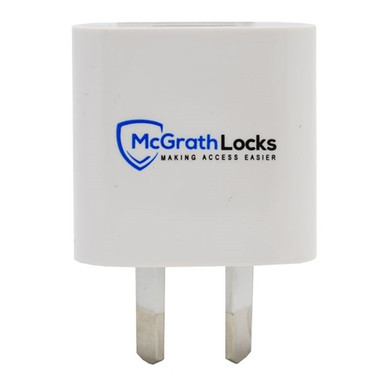
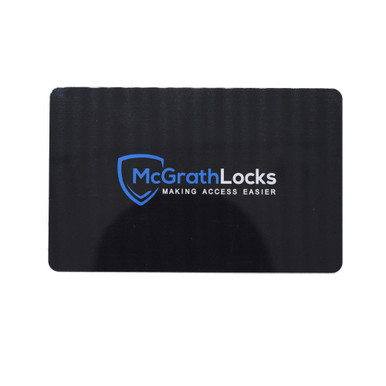
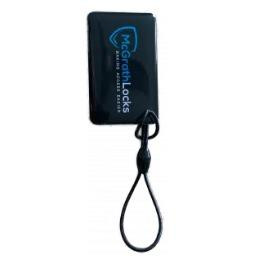
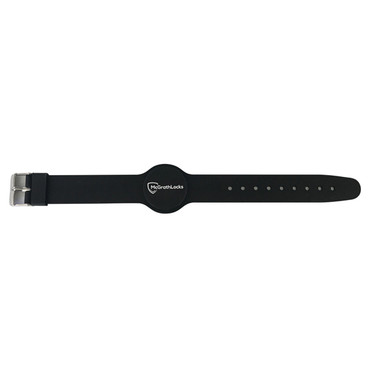
Gateways for remote access, extra RFID credentials and somewhere safe for the spare key. Browse every gateway, RFID credential and power accessory.
 Battery, Power and Backup Access
- Power: 4 x AA alkaline batteries in the interior unit (not included). Battery life is rated at up to 12 months based on 10 uses a day; heavier use, cold weather or cheap batteries shorten it.
- Low battery alert: when the supply drops below 4.8V the lock sounds a low battery alert each time you wake the screen. Replace all four batteries at the same time with fresh, good-quality alkalines - see choosing batteries and the low battery diagnostic.
- Flat batteries: plug a USB-C power bank into the emergency power port on the underside of the exterior unit to wake the lock and use any credential, or open the door with the mechanical key - what to do when the batteries die.
- Short battery life? Check three things: use new alkaline batteries, make sure the connecting cable between the two units is not pinched, and check for a firmware update in the app. Our battery life reality check covers the rest.
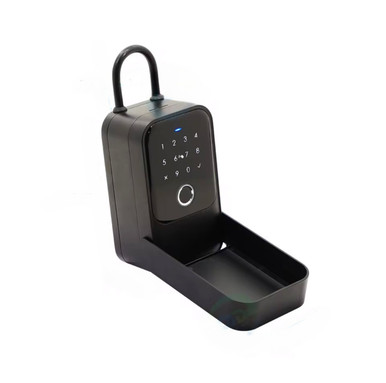
- Store the spare key safely: a key hidden under the mat defeats the lock - keep it in a McGrath KSBK Smart Key Safe or another key storage option.
Wi-Fi Remote Access (Optional - Gateway Required)
The Bowen has no Wi-Fi of its own. Day to day it talks to the McGrath Locks App over Bluetooth 5.0 BLE, and it works normally without a gateway. Add a McGrath gateway within about 10 metres of the lock, with nothing solid in between, and you can:
- open the door remotely from anywhere;
- change or delete PIN codes remotely;
- issue cards remotely;
- see the door records upload as they happen.
The McGrath gateways we stock for the Bowen are the G3 (wired PoE network), the G4 (4G SIM) and the G5 (2.4GHz and 5GHz Wi-Fi). Choose with Chapter 08, do you need a gateway at all and where to put it; all gateways are in the gateways range.
 McGrath Bowen - Technical Specifications
Dimensions


Suits 35 - 60mm doors on a 60 or 70mm backset (what backset is). Measure with Chapter 02 before you order, and check screen door clearance if a screen door closes over the main door. Both drawings are repeated full width in the Dimensions tab.
 Installation Overview
These diagrams name every part you will touch during installation. The full instructions are in the User and Installation Guide (PDF), and the drilling marks are on the Installation Template (PDF).


In outline - drilling first, then the guide's own sequence:
- Mark and drill the door from the tubular latch hole template. Print it at actual size (scale 1:1) and check the printed rulers before you drill. The template is set for a 60mm backset - use its 70mm markings for a 70mm latch. As well as the 54mm cross bore and the latch bore, it marks four 10mm fixing holes, a 15mm-wide cable slot above the latch and a 19mm door sensor hole in the door edge.
- Fit the tubular latch with its faceplate flush with the door edge, and the strike plate in the frame.
- Check the handing. If the levers point the wrong way, remove screw C, rotate the lever up 180 degrees and refasten it - on both the interior and exterior units.
- Set the latch hub selector: if the lever points left, turn selector A to the upper triangle; if it points right, to the lower triangle.
- Fit the door sensor into the door, feed its cable through and plug it into the exterior assembly.
- Fit the exterior assembly - spindle through the latch hub, connecting cable through the top opening. Before powering the lock, check the lever: with the hub set correctly the latch stays put when the lever is lifted or pressed.
- Fit the interior assembly - connect the cable, slide the unit over the spindle until it sits flush without pinching the cable, fit the four fixing screws, test the lever and the key (a 90-degree turn of the key should let the lever retract the latch), fit the rubber screw plugs and insert four AA alkaline batteries.
Not confident drilling a good door? Terry's Locksmiths supply and install McGrath locks across the Gold Coast - see Advice and Installation or how our site survey works. Common mistakes to avoid: Chapter 12.
App Platform and Data Hosting

The McGrath Locks mobile app is a customised, McGrath-branded platform tailored specifically for the McGrath Locks product range. The app is managed, supported and distributed locally by McGrath Locks in Australia. Australian-based support staff handle warranty claims, app troubleshooting and platform queries - you are not dealing with an overseas vendor. The underlying cloud infrastructure is provided by TTLock, a globally deployed IoT platform. The app is available for both iOS and Android.
For how the platforms compare, see Chapter 15 - security and data sovereignty at a glance, why we recommend TTLock and five questions that decide the platform.
McGrath smart locks are backed by long-established industry partners and supported locally: LSC, a century in the security trade, and Terry's Locksmiths, fifty years on the Gold Coast. Read why longevity matters more than features, the installer's perspective and what happens if a manufacturer drops its app.
 Frequently Asked Questions
Usually, if there is enough room - which is exactly what the Bowen was designed for. Its exterior lever stands just 54.5mm off the door face. Close the screen door and measure from the main door's face to the back of the screen door's lock and handle at lever height; you need more than 54.5mm, plus finger room. Chapter 02 and our screen door clearance guide show how.
Matt Black. In salt spray testing Matt Black lasted 300 hours against 96 hours for Satin Nickel. Neither is marine grade, and both are laboratory figures rather than a coastal service warranty (more).
You get a low battery alert well before then - every time you wake the screen once the supply drops below 4.8V. If they do run flat, plug a USB-C power bank into the port under the exterior unit, or use the mechanical key (key override explained).

No - the Bowen is not fire rated. For a fire door with a fingerprint reader choose the McGrath Hamilton; without fingerprint, the McGrath Windsor. Not sure if your door is a fire door? Here is how to tell.
Additional Information
Privacy mode shuts out every user credential except the administrator's and the key. In a family home that is a feature; in a rental it can lock out a cleaner or a late guest. Decide who may use it, and keep an administrator credential or the key where you can reach it (best practice).
The latch hub selector has to match the lever direction - upper triangle for a left-pointing lever, lower for a right. Set it before the exterior unit goes on, and test the lever before you power the lock. Our three common DIY mistakes and Chapter 12 cover the rest.

The Bowen is designed to retrofit into a common residential footprint, but every old lock leaves different holes. Compare your existing hardware with the 226 x 73mm case and the template's fixing-hole layout, and send us photos if you are unsure (identify your existing hardware).
The door sensor needs its own 19mm hole in the door edge and its cable plugged into the exterior unit. It is far easier to fit while the lock is off the door than to come back for it later.
Terry's Locksmiths supply and install McGrath locks across the Gold Coast - see Advice and Installation or book a site survey, which is worth it when a screen door, an aluminium door or an old lock prep is involved.
 Warranty
12-month warranty against defects in materials and workmanship (24-month on ALBION, ASCOT, ASHGROVE, BARDON, BOWEN, GRANGE, HAMILTON, KEDRON, MANLY, SANDGATE, STAFFORD, ULTRA SECUA and WINDSOR models). McGrath Locks will repair, replace, or refund at their discretion. Proof of purchase required for all claims. Returns & Warranty | McGrath Locks Warranty
 Download PDF Resources
Two-page A4 datasheet - every hardware, credential, power and environmental figure on this page, from the 226 x 73 x 24mm case and 54.5mm lever projection to battery voltage, IP class and salt spray hours.
Six-page brochure - the low-projection lever, the five ways in, security features (privacy switch, door sensor, anti-peep, audit trail), the specification page and a what's-in-the-box photo.
The in-box guide (v1.02) - exterior and interior diagrams, the seven installation steps with handing and hub settings, keypad programming, door sensor, passage mode, low battery, troubleshooting and the gateway set-up.
The tubular latch hole template (v1.02) - print at actual size (scale 1:1). Marks the 54mm cross bore, latch bore, four fixing holes, cable slot and door sensor hole for 60mm and 70mm backsets.
The 56-page platform manual behind the McGrath Locks App - registration, adding a lock, eKeys, passcode types, card management, gateways and records. Generic TTLock edition; the McGrath-branded app is laid out the same way.
McGrath Bowen Fingerprint Smart Lever Lock - FAQ, Setup and Owner's Guide
Everything below is here to help you choose, fit, set up and live with a McGrath Bowen. For general smart lock questions see our Smart Lock FAQ (Chapter 13), and for measuring and fitting the Buyer's Guide.
Screen Doors and Door Fit
In most cases where there is at least 54.5mm of clear space in front of the main door at lever height, plus room for your fingers. That projection is shorter than a standard smart lock lever, which is what makes the Bowen suited to screen door entries. The screen door's lock body and inside handle are usually what gets in the way, so measure to the back of those, not just to the screen. Chapter 02 - screen door clearance, how to measure the gap, the clearance check for two-door set-ups.

Doors 35mm to 60mm thick, timber or aluminium, with a 60mm or 70mm backset - the supplied tubular latch adjusts between the two. What backset is and how to measure it.
Only if the stile is wide enough for a 60mm backset and the 73mm-wide case. A narrow-stile aluminium door with a short backset needs a slimline lock instead - measure your stile width first.
It is designed to retrofit into a common residential footprint. Whether it covers your old holes depends on the old lock: compare its footprint with the 226 x 73mm case, and note that the Bowen's template adds four 10mm fixing holes and a cable slot inside that area. When you need a scar plate.
Yes, on site. Remove screw C on each unit, rotate the lever up 180 degrees and refasten it - then set the latch hub selector to match. Door handing explained.
Access and Credentials
Up to 100 fingerprints, 250 PIN codes and 1,000 RFID credentials (some exceptions may apply), plus unlimited Bluetooth eKeys.
At the base of the exterior lever. Enrol in the app, or at the keypad after the administrator code - the voice prompts ask you to scan the same finger several times. Tips for reliable fingerprint reads.
Yes, but only when you create it in the app. Codes added at the keypad are 6 to 9 digits. Passcode types explained.

13.56MHz credentials. Two fobs come in the box, and extra McGrath cards, fobs, wristbands and stickers are sold separately. Contact us before relying on a third-party card.
With it on, only an administrator credential or the mechanical key opens the door from outside; user codes, cards, fingerprints and eKeys are refused until it is turned off. More on the privacy switch.
Anti-peep lets you type random digits before or after your real code so an onlooker cannot pick it. And yes - the keypad locks out after repeated wrong attempts.

Use passage mode: unlock with a valid credential, then press 123# within five seconds. Unlock again with a valid credential to end it - and if you started it in the app, end it in the app. When passage mode makes sense.
App, Gateway and Remote Access
No, but we strongly recommend it - it is faster and gives you every setting. The keypad can program the administrator code, PIN codes, cards and fingerprints on its own, and if you know the administrator code you can add the lock to the app later. App set-up notes.
Only for remote access. Without one the Bowen works fully over Bluetooth when your phone is near the door. With a gateway you can open the door from anywhere, change or delete codes, issue cards and see records as they happen. Do you need a gateway at all?
The G5 for most homes on Wi-Fi (2.4GHz and 5GHz), the G3 where you can run a network cable (PoE), or the G4 where there is no reliable Wi-Fi (4G SIM). Keep it within about 10 metres of the lock, without heavy obstructions. Gateway comparison, why locks drop off Wi-Fi.
Pairing the Bowen with the ULTRA-SECUA Dual Unlock is not confirmed yet. If you want one credential at the screen door to open both doors, contact us before you buy. How Dual Unlock works.
An Australian-based team handles app troubleshooting, warranty claims and platform queries - the app is the McGrath-branded build of TTLock. App platform and data hosting.
Power and Batteries
Four AA alkaline batteries (not included), rated at up to 12 months at 10 uses a day. Replace all four together.
Below 4.8V the lock gives a low battery alert each time you wake the screen. Low battery diagnostic.
Plug a USB-C power bank into the emergency port under the exterior unit, or open the door with the mechanical key. Key override explained.
Installation and Set-Up
A handy DIYer with the right drill bits can - the guide has seven steps and the template is printed at actual size. A new door, an aluminium door, or a screen door with tight clearance are good reasons to call a locksmith. When DIY makes sense, Advice and Installation.

Check three things: the lock is not in demo mode, it is not in passage mode, and the triangle on the latch hub selector is aligned for your lever direction. Three common DIY mistakes.
At the keypad enter *40#, the administrator code, then a delay from 0 to 60 seconds followed by #. Entering 0 turns the alarm off.
Hold the reset button on the interior unit until the lock asks for the initialisation passcode, then enter 000#. Every PIN code, card, fingerprint and phone user is deleted, so only do it when you mean to start again.

Yes. Enter *30#, the administrator code, then 0# to switch them off or 1# to switch them on again.
Suitability
No. For a fire door choose the McGrath Hamilton (fingerprint) or McGrath Windsor. Where fire-rated locks are required.

It is not sold as DDA compliant. For accessible housing look at the Hamilton or Stafford, which ship with DDA levers - Chapter 09 explains the requirements.
Not on a fully exposed gate - only the exterior unit is IP66, and the interior unit must stay dry. Use the McGrath Ascot for gates.
Matt Black - 300 hours in salt spray testing against 96 hours for Satin Nickel.
Related Products, Guides and Chapters
- McGrath lever smart locks: Albion, Windsor, Stafford, Bardon, Hamilton - Matt Black, Hamilton - Satin Nickel, NX1, NX5, SJ8015
- Same styling as a deadbolt: McGrath Kedron Smart Deadbolt
- Screen door smart locks: ULTRA-SECUA, ULTRA-SECUA Dual Unlock, all security screen door smart locks
- Gateways and credentials: G3, G4, G5, 240V USB wall adaptor, RFID card, RFID fob, RFID wristband, RFID sticker, KSBK key safe
- Buyer's Guide: all chapters, Chapter 02 - measuring your door, Chapter 03 - access methods, Chapter 08 - gateways, Chapter 10 - McGrath, Chapter 13 - smart lock FAQ, Chapter 14 - TTLock
- Blog: check screen door clearance, TTLock tips and tricks, mechanical key override, Terry's, LSC and McGrath, digital door locks explained
- Browse: fingerprint smart locks, PIN code smart locks, card and fob smart locks, smart locks with a backup key, all smart locks, power accessories
What's in the Box - McGrath Bowen Fingerprint Smart Lever Lock

- Exterior lock assembly - glass keypad with card reader, fingerprint reader, lever, key override cylinder and USB-C emergency power port
- Interior lock assembly - battery compartment, privacy switch, reset button and lever
- 60/70mm adjustable backset tubular latch with strike plate and screws
- Door sensor with its connecting cable
- Spindle
- 4 x fixing screws and 4 x screw studs
- Rubber screw plugs
- 2 x mechanical override keys
- 2 x RFID fobs (13.56MHz)
- Screwdriver
- Bowen User Guide
- Installation template
for iOS and Android. McGrath Bowen Fingerprint Smart Lever Lock - Dimensions
McGrath Bowen Fingerprint Smart Lever Lock - Product Brochure
The six-page Bowen brochure, reproduced page by page. Download the brochure as a PDF or the two-page technical datasheet.


PDF Files - McGrath Bowen Fingerprint Smart Lever Lock
Two-page A4 datasheet - every hardware, credential, power and environmental figure on this page, from the 226 x 73 x 24mm case and 54.5mm lever projection to battery voltage, IP class and salt spray hours.
Six-page brochure - the low-projection lever, the five ways in, security features (privacy switch, door sensor, anti-peep, audit trail), the specification page and a what's-in-the-box photo.
The in-box guide (v1.02) - exterior and interior diagrams, the seven installation steps with handing and hub settings, keypad programming, door sensor, passage mode, low battery, troubleshooting and the gateway set-up.
The tubular latch hole template (v1.02) - print at actual size (scale 1:1). Marks the 54mm cross bore, latch bore, four fixing holes, cable slot and door sensor hole for 60mm and 70mm backsets.
The 56-page platform manual behind the McGrath Locks App - registration, adding a lock, eKeys, passcode types, card management, gateways and records. Generic TTLock edition; the McGrath-branded app is laid out the same way.
 McGrath Bowen Fingerprint Smart Lever Lock - Product Gallery


Confused? Overwhelmed? We get it.
Choosing the right smart lock can be genuinely tricky - door types, backsets, app platforms, compatibility with your existing hardware... there is a lot to consider. We have decades of experience fitting locks of all types, including smart locks, and we are happy to help.
Our expert recommendation service is free. Upload a few photos of your door and describe what you need, and one of our qualified locksmiths will give you a personalised recommendation.
Get Your Free Recommendation →How it works - three easy steps:
1. Upload photos
A few clear shots of your door, lock and frame - inside and out.
2. We assess
Our locksmith reviews your setup and requirements - door type, weather exposure, how you want to use it.
3. You get a recommendation
A personalised recommendation tailored to your door, budget and needs. No pressure, no upsell.
Also useful while you are deciding: